

KAI does the first pass. Your team makes the call.
Every tender, quote, contract, drawing and invoice that lands on your project, KAI reads it and does the grunt work. Scopes drafted. Quotes levelled. Claims built. Drawings registered. Questions answered from live project data. Your people review, decide and move on.
One AI, every stage of the project
KAI is built into the flow of work, from the first tender to the last payment. Work runs clockwise around the wheel, money runs back, and KAI protects the margin at the centre.
Drafts your scopes. Reads and levels every quote.
Reads the signed contract. Imports your estimate. Registers every drawing.
Answers questions straight from the drawings and specs.
Reads every claim and invoice. Drafts the payment schedule.
Ask anything across your live projects, in Deep Space or your own AI.
Less re-keying, fewer missed scope gaps, no claims lost in the inbox.
Tender faster, with fewer scope gaps
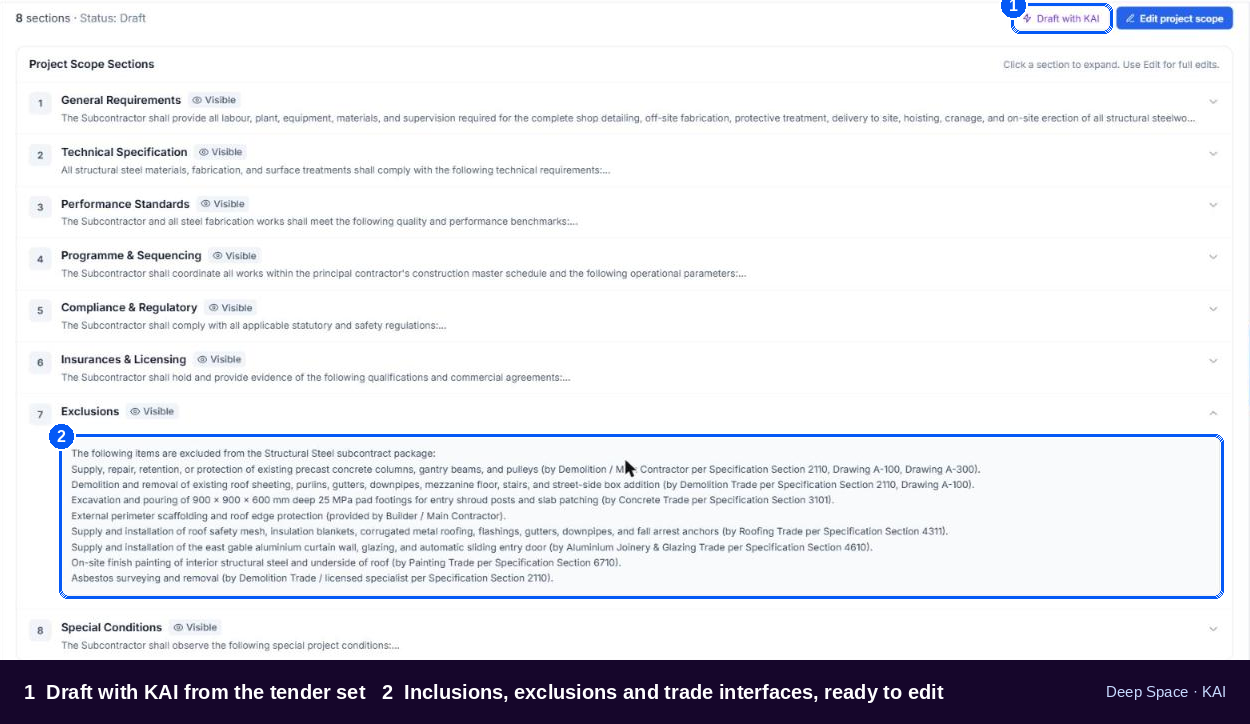
Scopes drafted from your tender set
Point KAI at the specs and drawings and it drafts a per-trade scope: inclusions, exclusions and trade interfaces. Your estimator edits and publishes. The scope gap that used to surface at install gets caught at tender.
Every quote read, levelled and compared
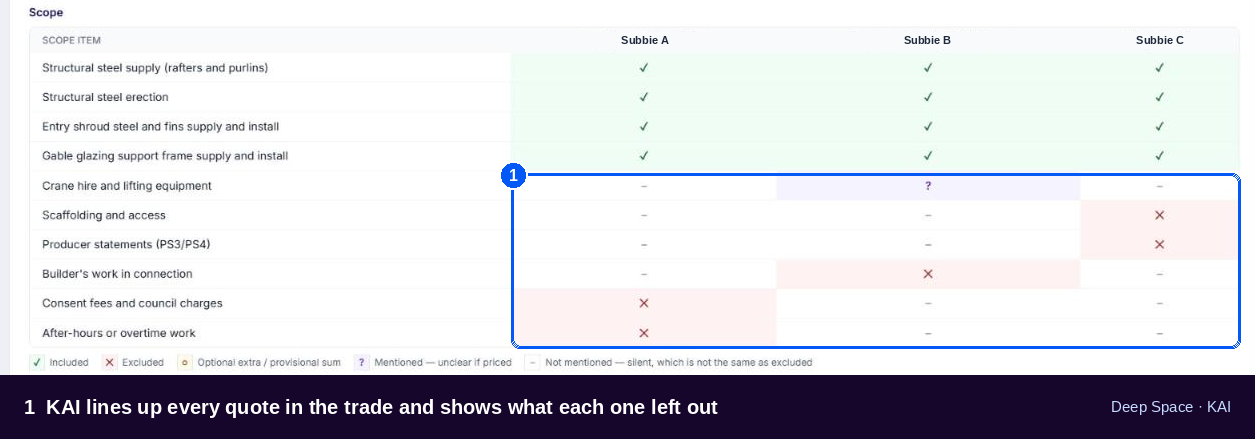
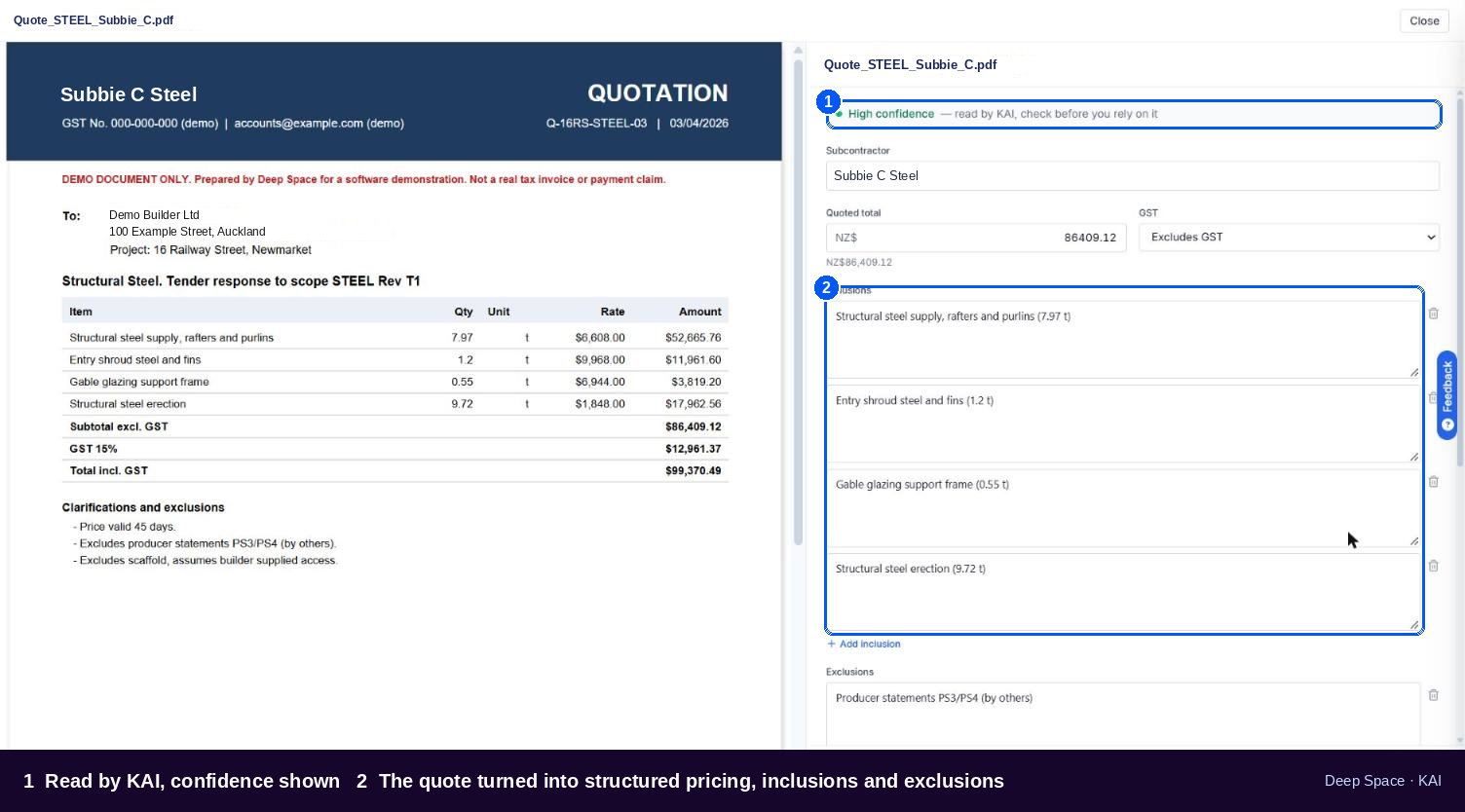
Drop a subbie's PDF on the package or forward it to the project's quote address. KAI pulls it into structured pricing, then lines up every quote in the trade: common scope, what each one left out, and where the gaps are. Export to Excel and drop it straight into your own sheet.
From signed contract to live project, without the typing
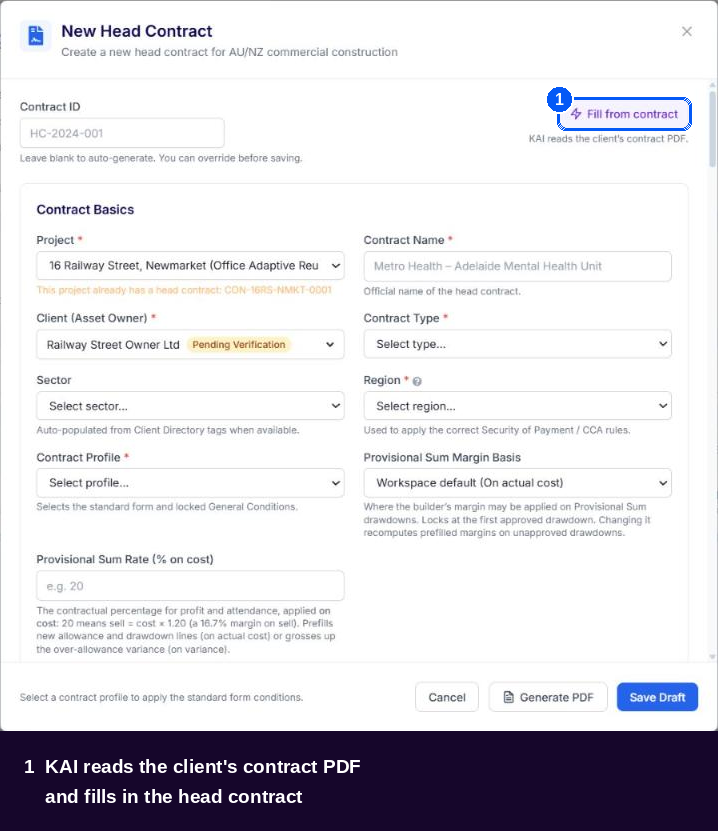
The head contract, read for you
Upload the signed contract, standard form or heavily amended. KAI reads the commercial terms and fills in the Head Contract. You check and confirm.
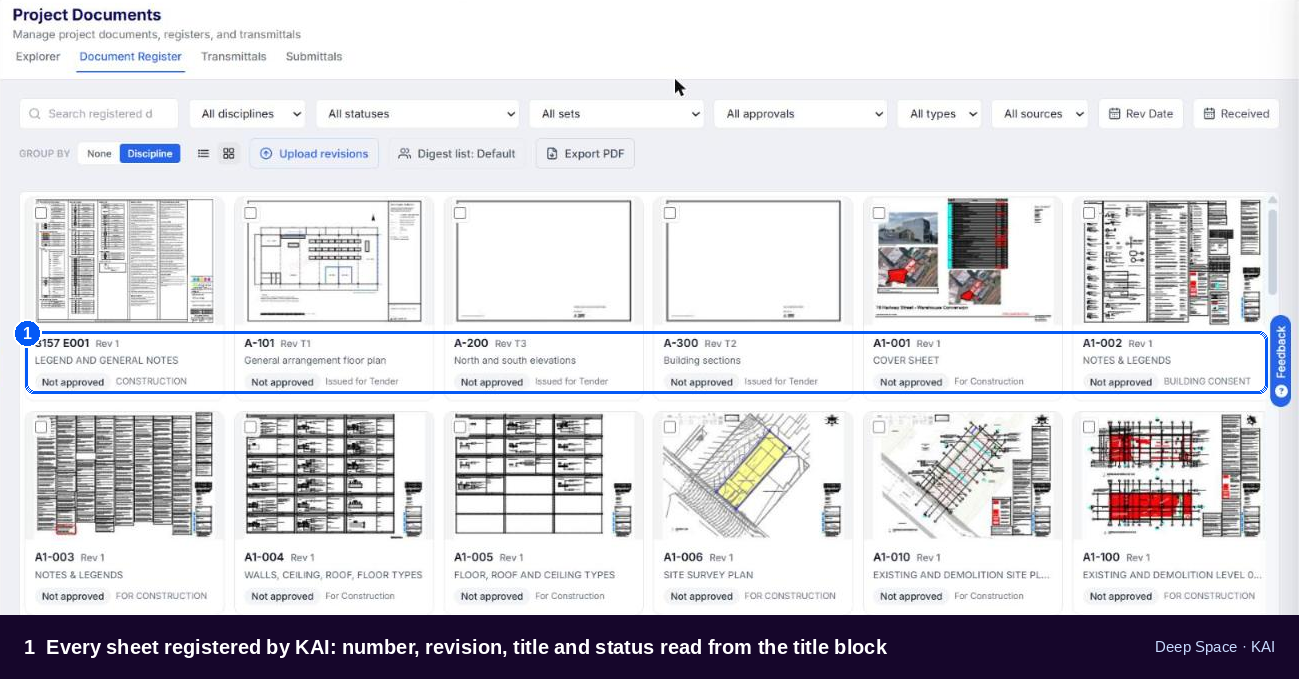
Every drawing registered, every revision caught
Upload a bound set. KAI splits it into sheets, reads each title block (number, title, revision, date, discipline) and registers it. This is AI reading the sheet, not OCR guessing at it.
Answers from the drawings, not the architect's inbox
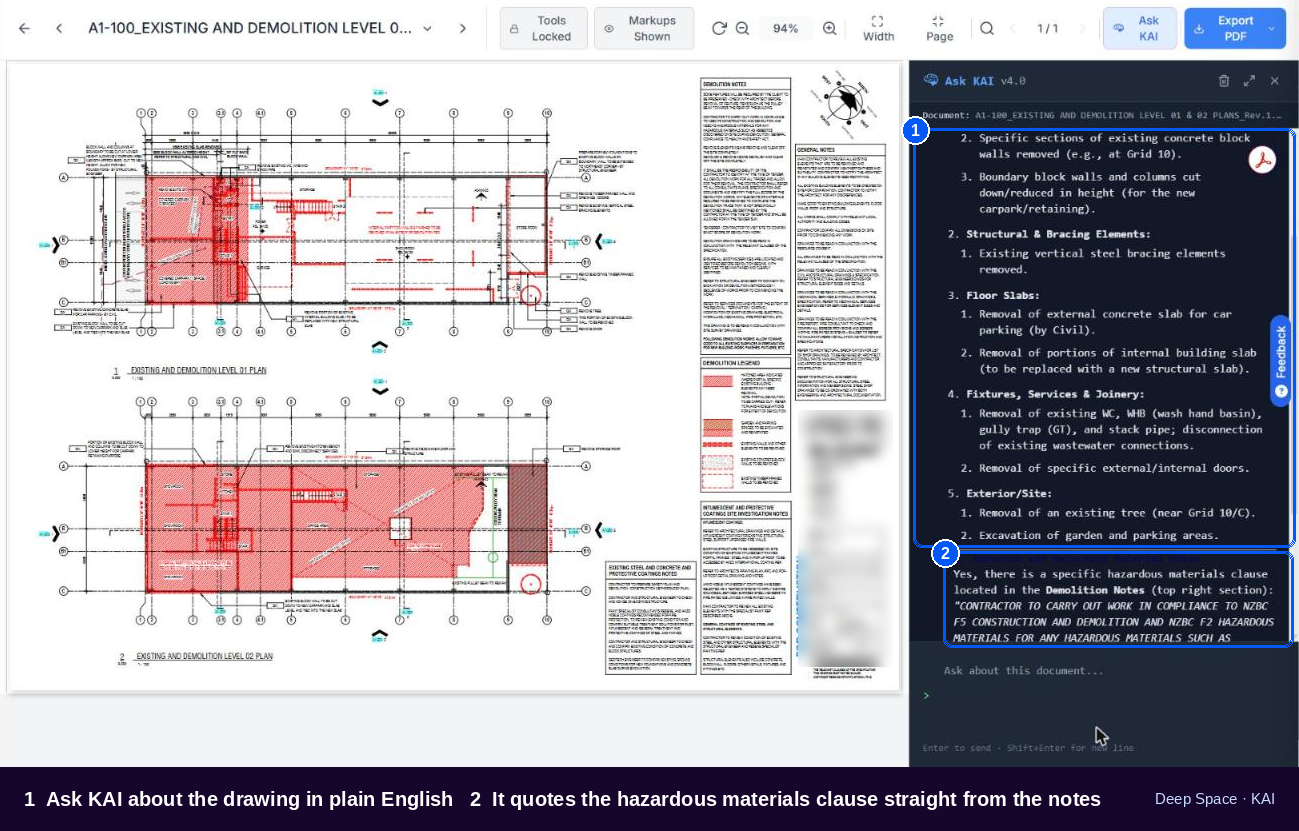
Ask KAI about any drawing or spec
"Is slab thickness called up on this sheet?" "What's the scale?" Ask in plain English and KAI answers from the document in front of you, remembering the conversation as you go. Fewer RFIs for things that are already on the drawings.
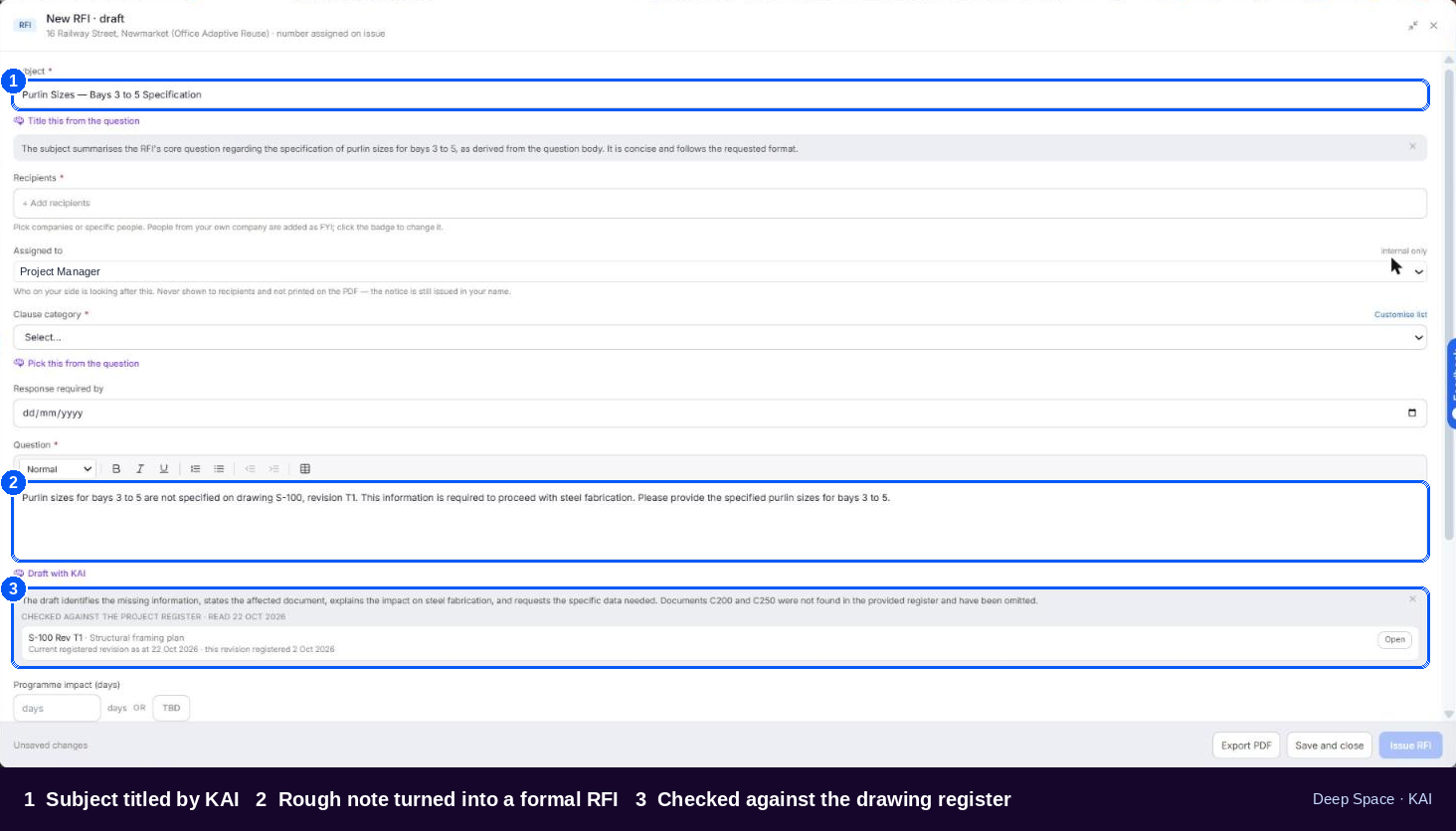
RFIs drafted with KAI
Start an RFI and KAI drafts it from the context. You tighten it and send it from your own email address.
Claims in, payment schedules out
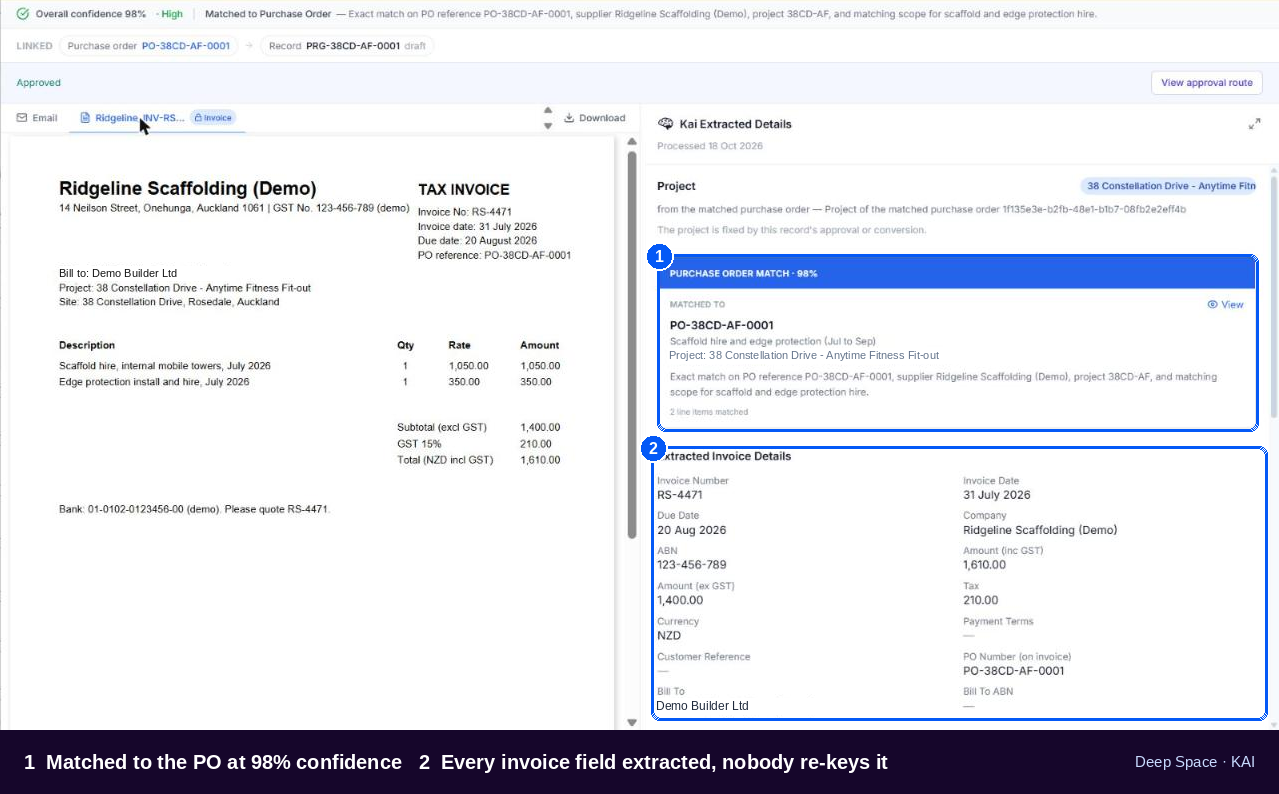
Your accounts inbox, processed
KAI watches the inbox your subbies and suppliers already send to. It sorts claims from noise, reads every line, matches the project and the subcontract or PO, and shows its confidence on each line. Nobody re-keys an invoice.
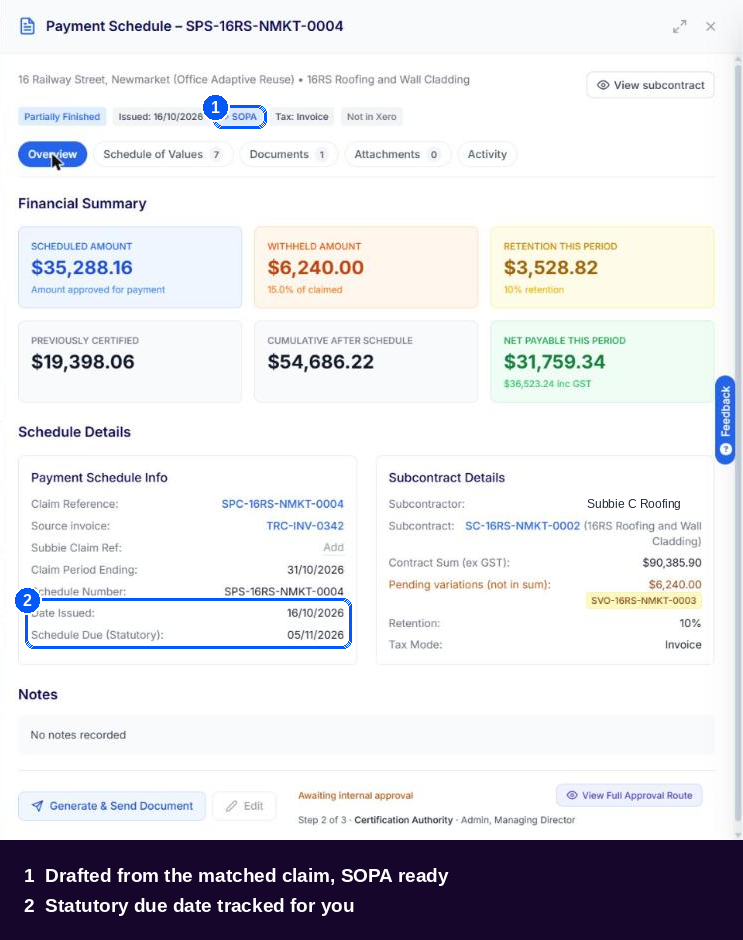
The payment schedule drafted before the clock runs down
A matched claim becomes a draft payment schedule automatically, ready to certify, approve and send, so the Security of Payment deadline never sneaks up on you. Credit notes are handled too, through to Xero.
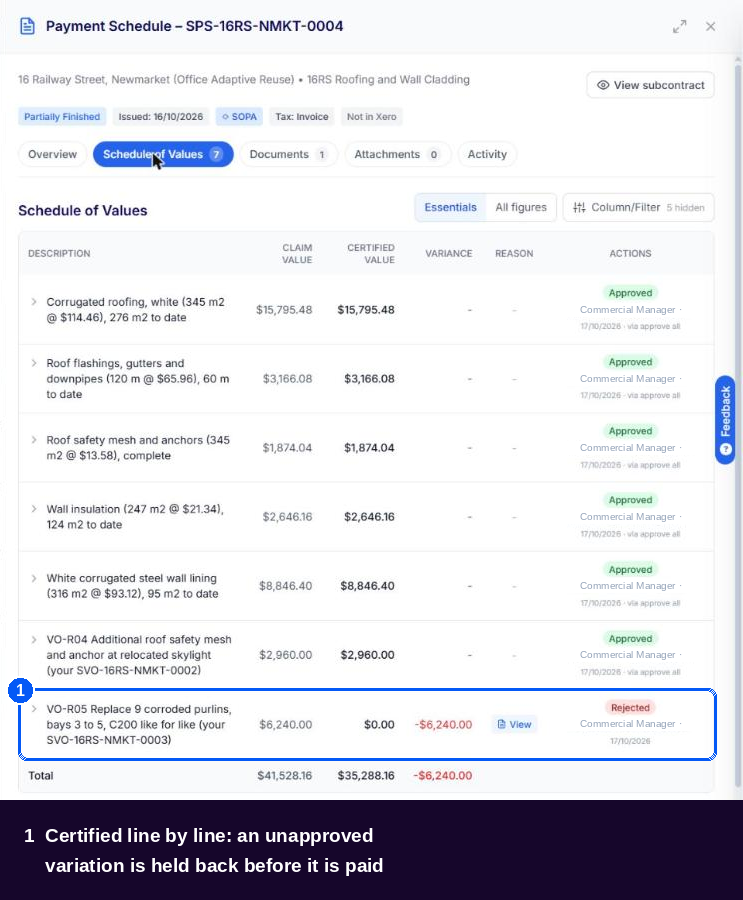
Certified line by line, nothing slips through
Every claim line is certified against the subcontract and its approved variations. Anything without an approval behind it is held back, with the reason recorded, before a dollar goes out.
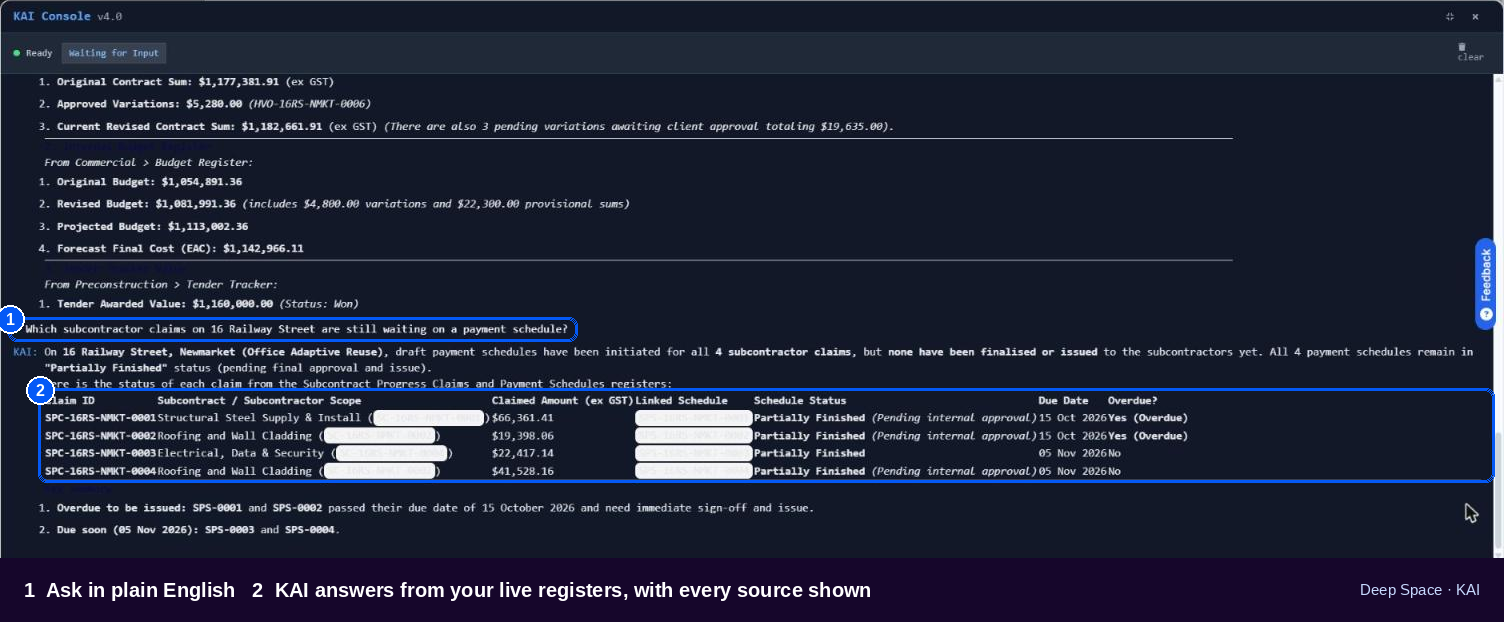
"How are we tracking?" Now you've got a straight answer.
Open KAI from any page in Deep Space and ask in plain English. KAI answers from your live registers: tenders, head contract claims and payment schedules, subcontractor claims, variations on both sides, the Budget Register, purchase orders, EOTs and DS Site forms. It shows which register it read, so every answer can be checked.
Already use Claude or ChatGPT? Bring Deep Space with you.
The Deep Space MCP connects your project data to the AI your team already uses. Same data, same permissions, same answers as KAI inside the platform. Build a report, prep a client meeting or chase a claim without opening another tab.
Built for how ANZ builders actually work
Knows your contracts and payment rules
KAI works inside workflows built for SOPA, the BIF Act and the NZ Construction Contracts Act: claims, payment schedules, RCTIs and BCTIs, retentions.
Your data stays yours
Hosted on Google Cloud in Sydney, with KAI running on Google Vertex AI. ISO 27001 certified. AI Trust Centre
Sees only what you can see
KAI signs in as you and respects your workspace, project and role permissions. If a site manager can't open the budget, neither can their KAI.
AI drafts, people decide
Every KAI output lands as a draft with its confidence shown. Nothing is approved, sent or pushed to Xero without a person.
Frequently asked questions
What is KAI?
KAI stands for Knowledge and Insights. It's the AI built into Deep Space: it reads the documents that come into your projects (tenders, quotes, contracts, drawings, claims and invoices), does the first pass, and answers questions from your live project data.
Does KAI make decisions for us?
No. KAI drafts and suggests. Your team reviews, edits and approves. Nothing is certified, sent or pushed to Xero without a person.
How accurate is it?
KAI shows its confidence on extracted lines and flags anything it can't match, so your team knows exactly where to look. It gets you to a strong first draft fast. Your people still make the call.
Where is our data stored?
Deep Space is hosted on Google Cloud in Sydney and KAI runs on Google Vertex AI. Deep Space is ISO 27001 certified. See the AI Trust Centre for the detail.
Can KAI see everything in our workspace?
KAI only sees what you can see. It signs in as you and applies your workspace, project and role permissions.
Can we use Claude or ChatGPT with Deep Space?
Yes. The Deep Space MCP connects your project data to Claude, ChatGPT and other AI assistants, with the same permissions as KAI.
Does KAI work for New Zealand projects?
Yes. KAI works across AU and NZ workspaces, including NZ payment schedules and BCTIs.
See KAI work on your own project
Bring a real tender set, a contract or last month's subbie claims. We'll show you what KAI does with them in 30 minutes.
Book a Demo.png)


.png)


Ask AI for a summary of Deep Space





Serving commercial builders across Australia & New Zealand
Deep Space Trading Pty Ltd ABN 65 669 436 373
All rights reserved to © DEEP SPACE