Construction HSEQ Software Built for ANZ Commercial Builders
You carry the risk for everyone on site. Run it on the system that runs the project.

ITP witness point
cleared against the programme

142 on site now
across 3 projects · all inducted

SWMS · Concrete pour
42 accepted at sign-on
Most builders still manage safety, permits, inspections and defects across paper forms, email threads and a separate app that talks to nothing. Deep Space puts SWMS, inductions, permits, incidents, ITPs and defects in the same platform your projects already run on.
You stay compliant. Your records stay
complete. And your projects stay on track
 ISO 27001:2022 certified
 Built for AU & NZ builders
 Powered by DS Site in the field

Where HSEQ compliance breaks down for mid-tier builders
Every HSEQ manager we speak to lands on the same handful of problems. Not edge cases, the day-to-day reality of carrying safety and quality across live projects.

Every subbie and visitor on your job is your responsibility. But sign-on sits in one app, SWMS come in by email, inductions live on paper, so you can't prove who's compliant right now without making calls.

A SharePoint tree of forms and screenshots passes an audit, until the auditor asks for one specific record. Then someone spends a day proving the system was actually followed.

Take 5s, JSAs and inductions on paper or a generic form app never make it back to the office cleanly, and nobody can see a hazard until the clipboard comes in.

Your HSEQ app doesn't know what's on the programme or in the budget. So safety reporting is a manual export, and theboard report is rebuilt by hand every month.
One connected HSEQ system, from sign-on to closeout
Not a forms library bolted on the side. Manage safety and quality as part of your actual project workflows, everything logged, visible and linked to real project stages.
Workforce compliance
Know who's compliant, right now, across every site
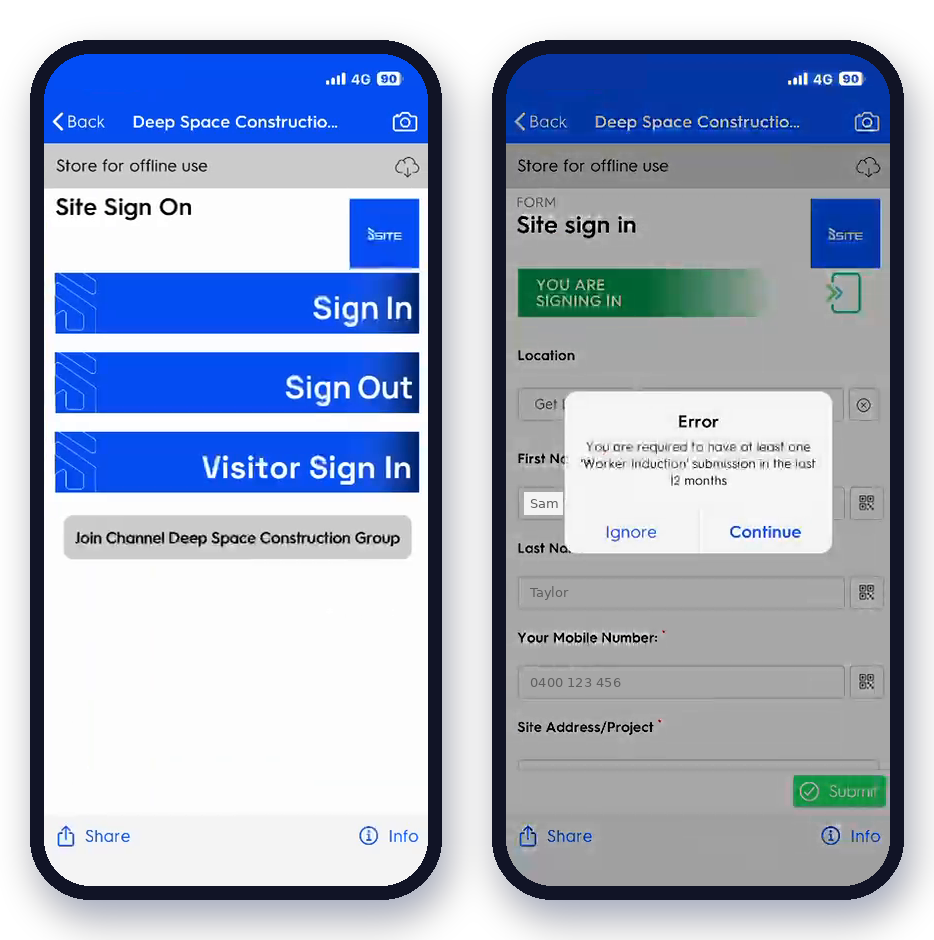
Assign SWMS to activities or trades, issue permits to work, and track inductions in one live view. Workers complete their induction once and accept the relevant SWMS as part of signing on, so you can prove who's on site and who's covered, without making a single call.
 SWMS assigned to the activity or trade, reviewed through your approval workflow and accepted by every worker at sign-on
- Permits to work issued, time-boxed and tracked to expiry
- Inductions logged once against a worker profile that follows them across all your sites
- Live who's-on-site count for evacuations and headcounts
Traceability
Raise an incident from the field. Close it with a full trail.
Capture the incident where it happens, photos, description, causes, straight from the DS Site app. Assign corrective actions with an owner and a due date, then track them through to completion. Nothing closes by being forgotten.
- Raised from the field with photos, description and contributing causes
- Corrective actions carry an owner, a due date and a status
- Full timestamp and user history on every record for the investigation
- Notifiable incidents flagged so nothing slips past your reporting obligations

Safety & quality
Run any inspection from a template, yours or ours
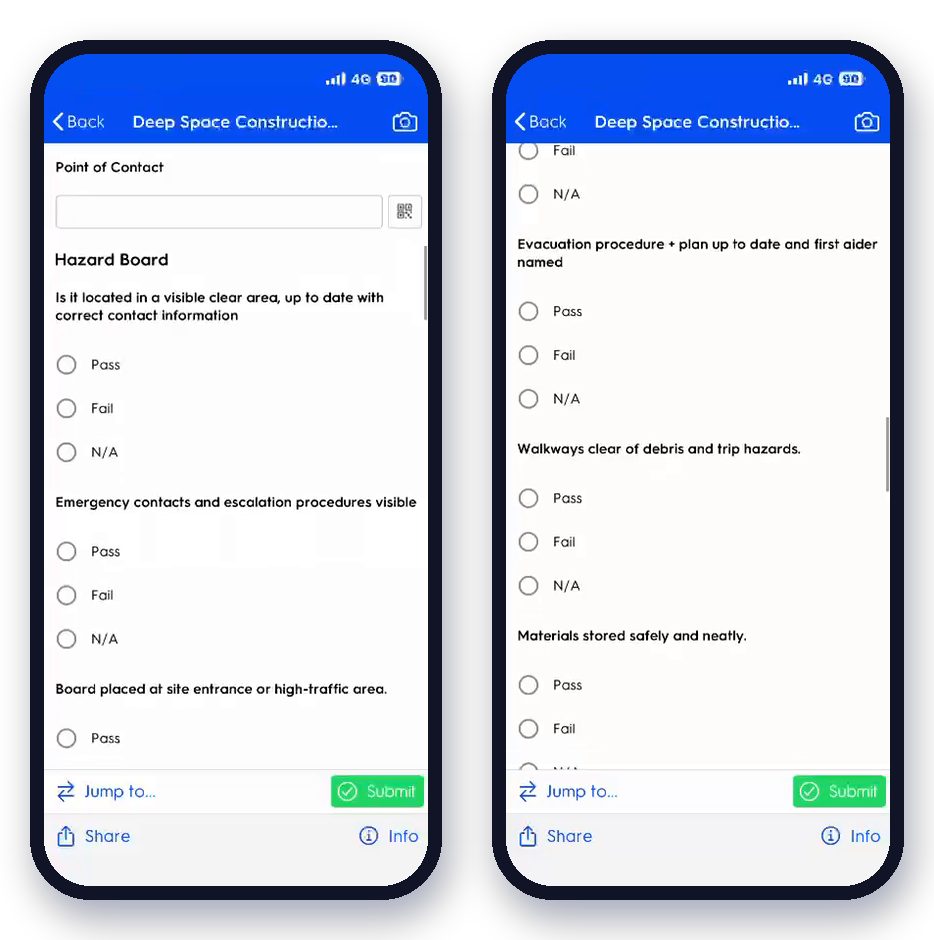
Conduct safety and quality inspections using standard or fully customised templates. Record findings, flag issues and assign the responsible trade to follow up. ITP hold and witness points tie back to the programme so the work can't proceed until they're cleared.
- Standard or customised templates, your wording, your logic
- Findings flagged and routed to the responsible trade automatically
- ITPs with hold and witness points tied to programme activities
- Pre-start, scaffold, plant and environmental checks behind a QR code on the asset
Quality closeout
Track and close out every defect to handover
Log quality defects by location, trade and severity, with photos, notes and deadlines. Monitor progress to resolution, and because Commercial sees open defects, an unresolved item flags against the claim it affects before anything is certified.
- Logged by location, trade and severity with photos and deadlines
- Monitored through to resolution and handover
- Open defects visible to Commercial against the relevant claim and retention
- Live who's-on-site count for evacuations and headcounts

Always inspection-ready
Audit-ready without the pre-audit scramble
Every permit, inspection, incident and action is recorded with timestamps and user history, filed into an ISO-aligned structure. When the auditor asks for one specific record, audit prep is a search, not a day spent proving the system was followed.
- Every record timestamped with full user history
- Evidence filed automatically into an ISO-aligned folder structure
- Find any record by project, trade, date or status in seconds
- Hosted on an ISO 27001:2022-certified platform

Tap the plan. Raise the defect. Everyone sees exactly where.
Walk the site with the drawing open in the Deep Space web app on iPad. Drop a pin on the current revision and raise a site inspection or quality defect right from that spot. The pin saves its exact position on the sheet and a snippet of the plan, so the subbie, the site manager and the client all land on the same corner of the same level. Open the record, see the pin. Open the drawing, see every pin.
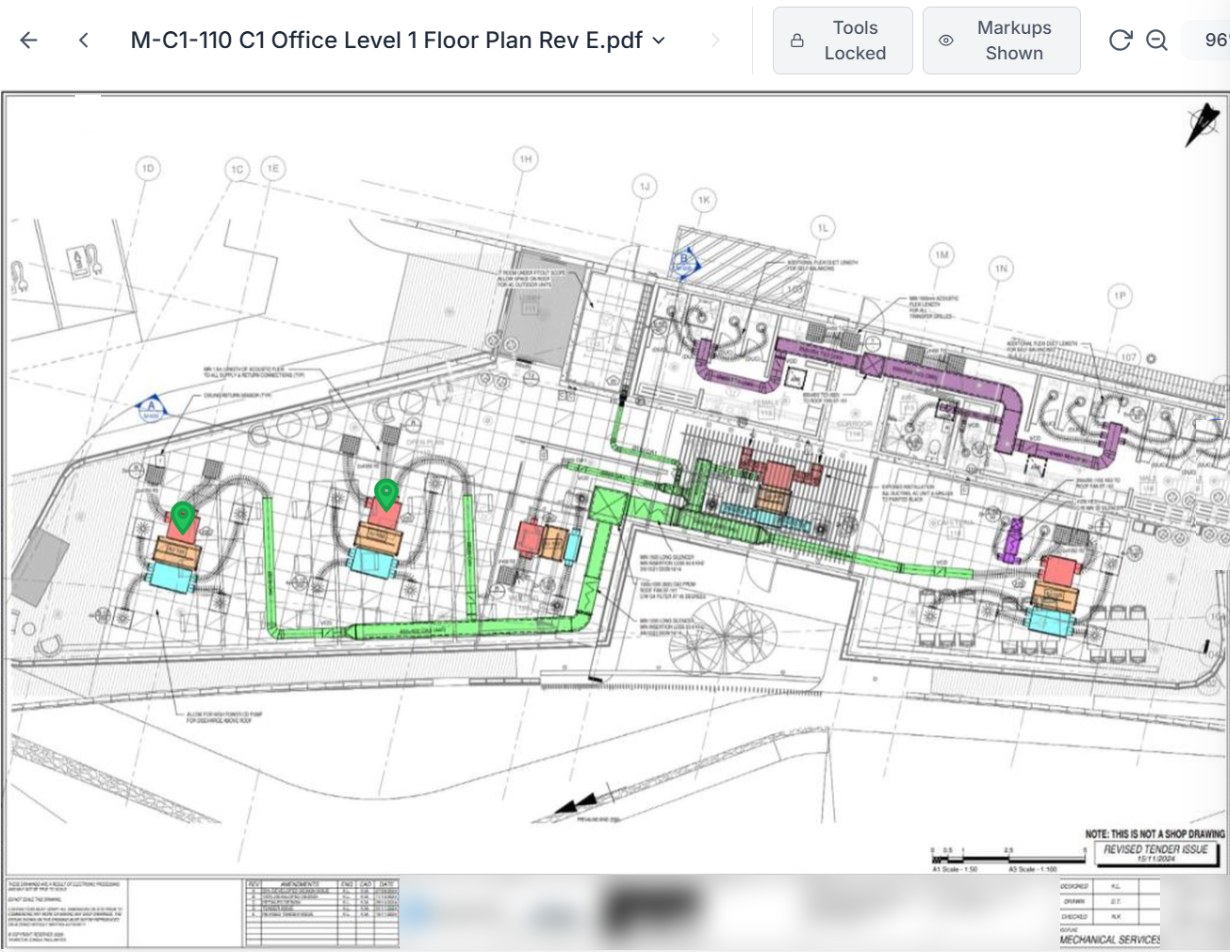
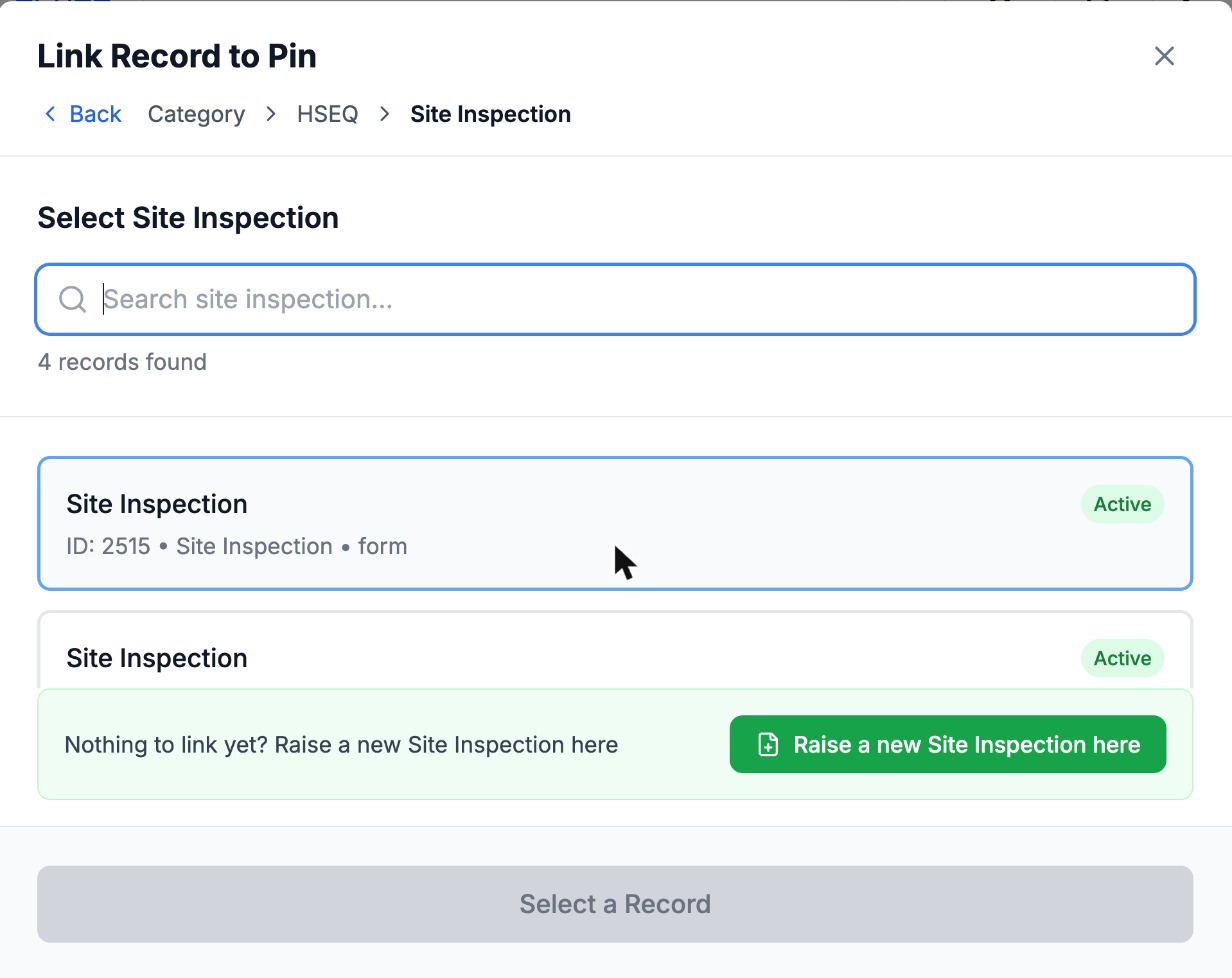
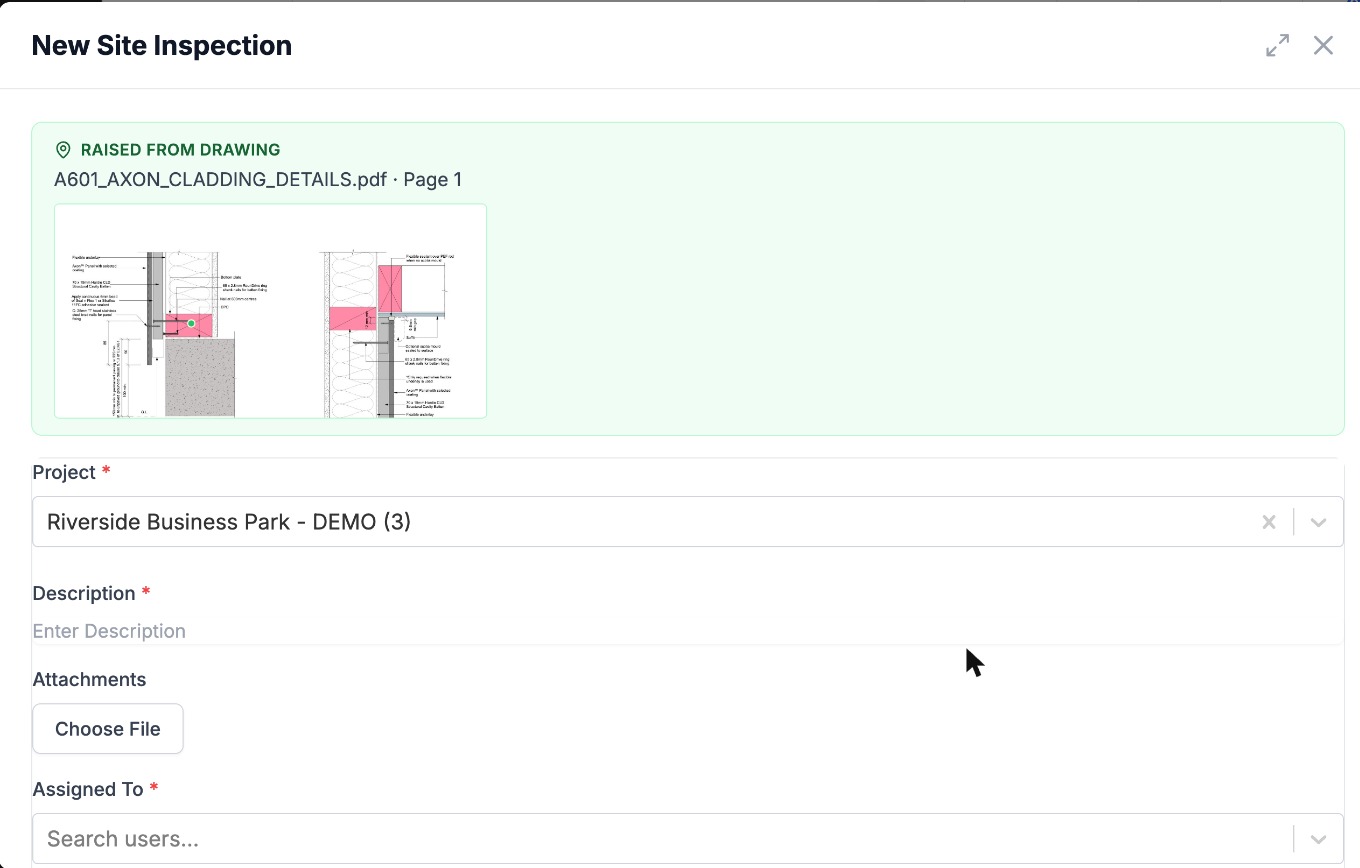
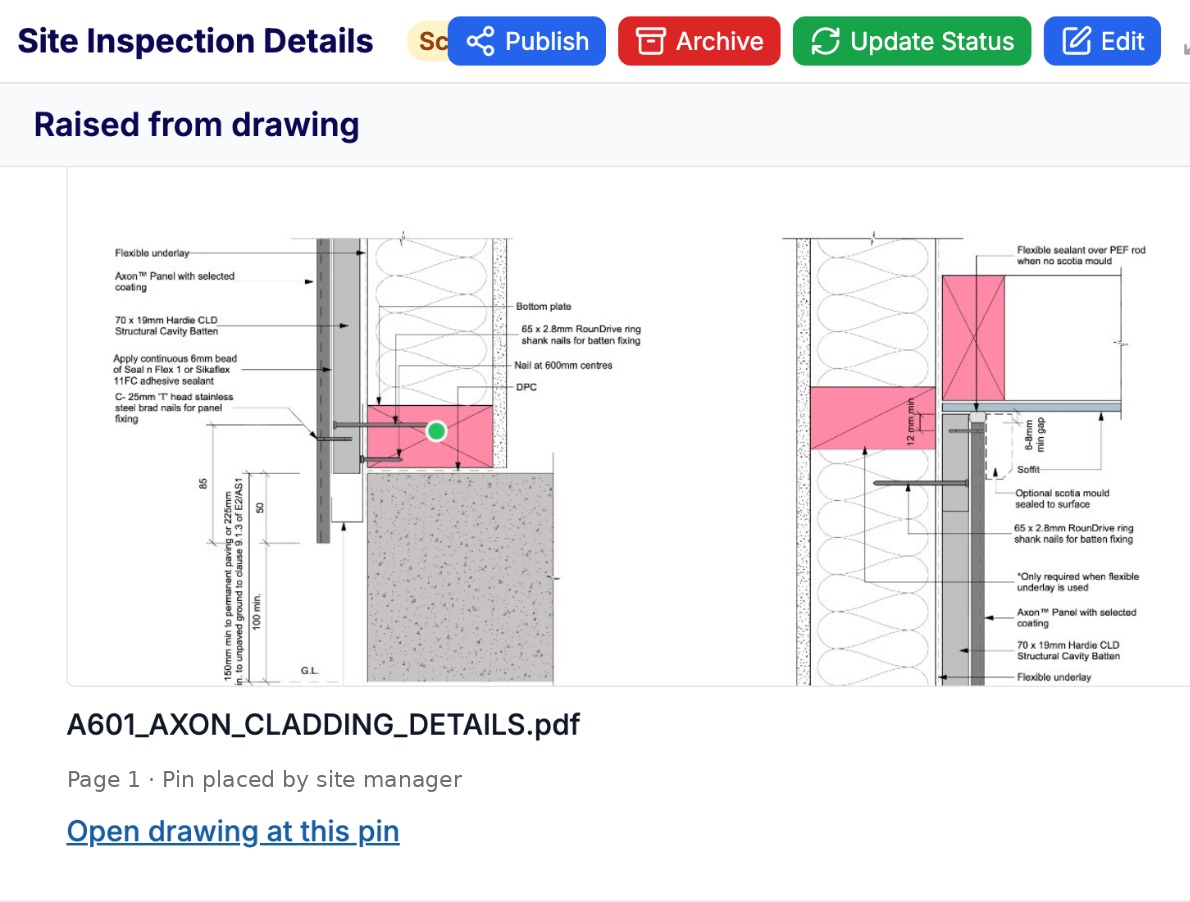
Raise a form from a pin
Site inspections and quality defects start from the plan on iPad, with the project, location and plan snippet already attached.
Linked both ways
Pins link to RFIs, defects, instructions and actions. Every record carries the drawing, the revision and the spot.
Always on the latest revision
Pins sit on the controlled drawing from the Document Register, so nobody walks a superseded plan.
Every safety form on the phone, every record in the platform.
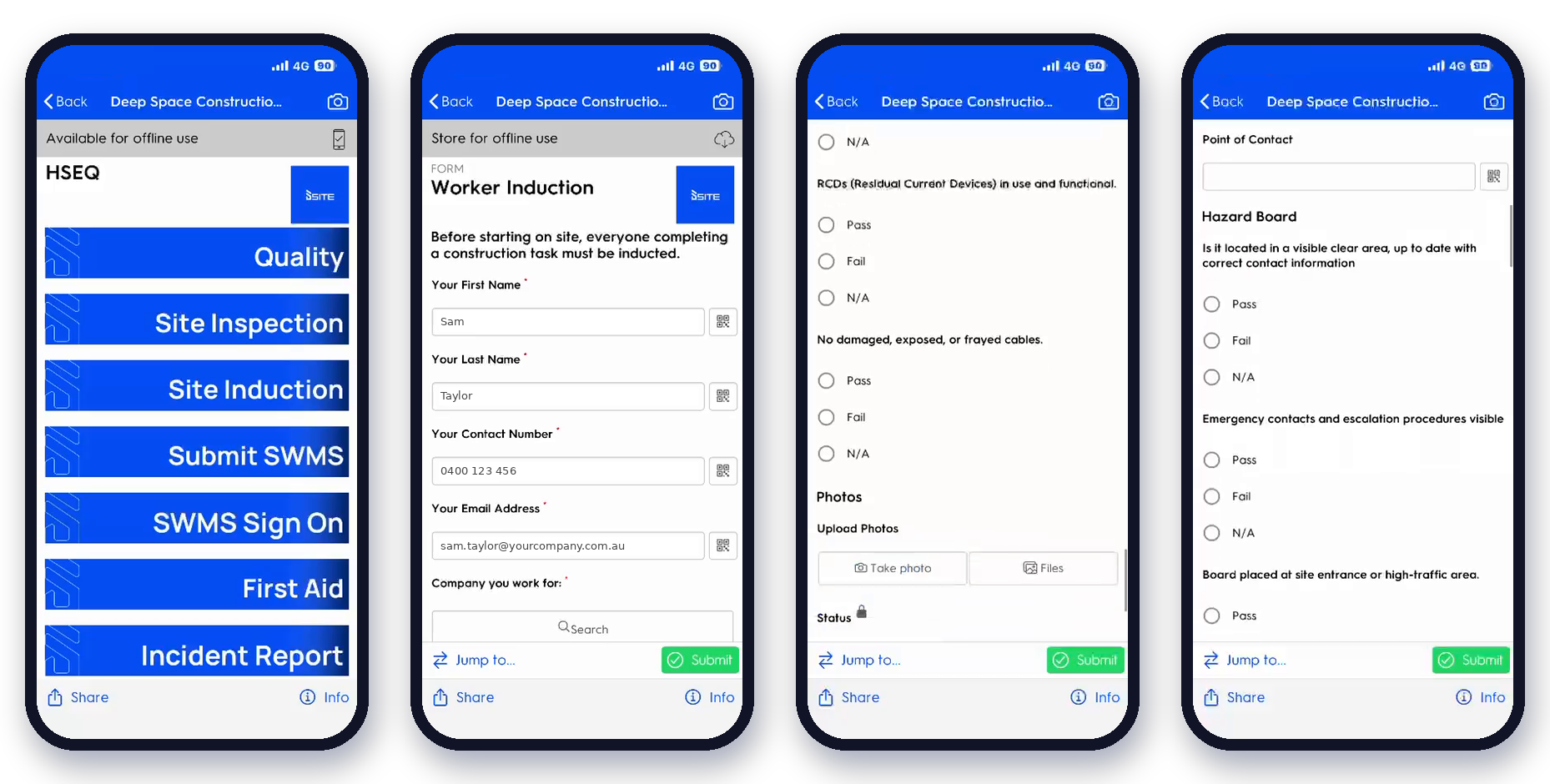
Forms that know the project
Dependent lookups: pick a project and only its contractors show; pick a contractor and only their people show. Faster forms, cleaner data.
No induction, no sign-on
Make a form depend on another, like an induction for the same site, and DS Site tells the worker exactly what's missing before they can submit.
Emergency contacts on every worker
Captured once at induction and shown on Worker Details next to the worker's name, so the right number is there when it matters.
WHS KPI scorecard
A ready-made safety scorecard alongside the Monthly Site Report, built live from the forms your crews already submit.
Every site photo in one place
Photos from defects, inspections and diaries surface together in Site Photos, while staying attached to the record they came from.
Your forms, built for you
Send us your paper induction, permit or SWMS sign-off and we rebuild it as a DS Site form, ready on your crews' phones.
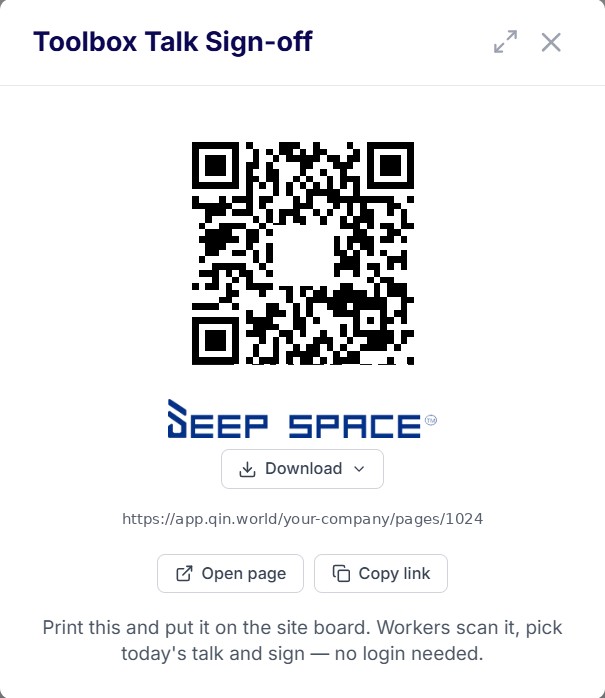
Toolbox talks, signed on site
Workers scan the project QR and sign off the talk on their phone. Attendance checks against Site Sign On, so you know who was on site and missed it.
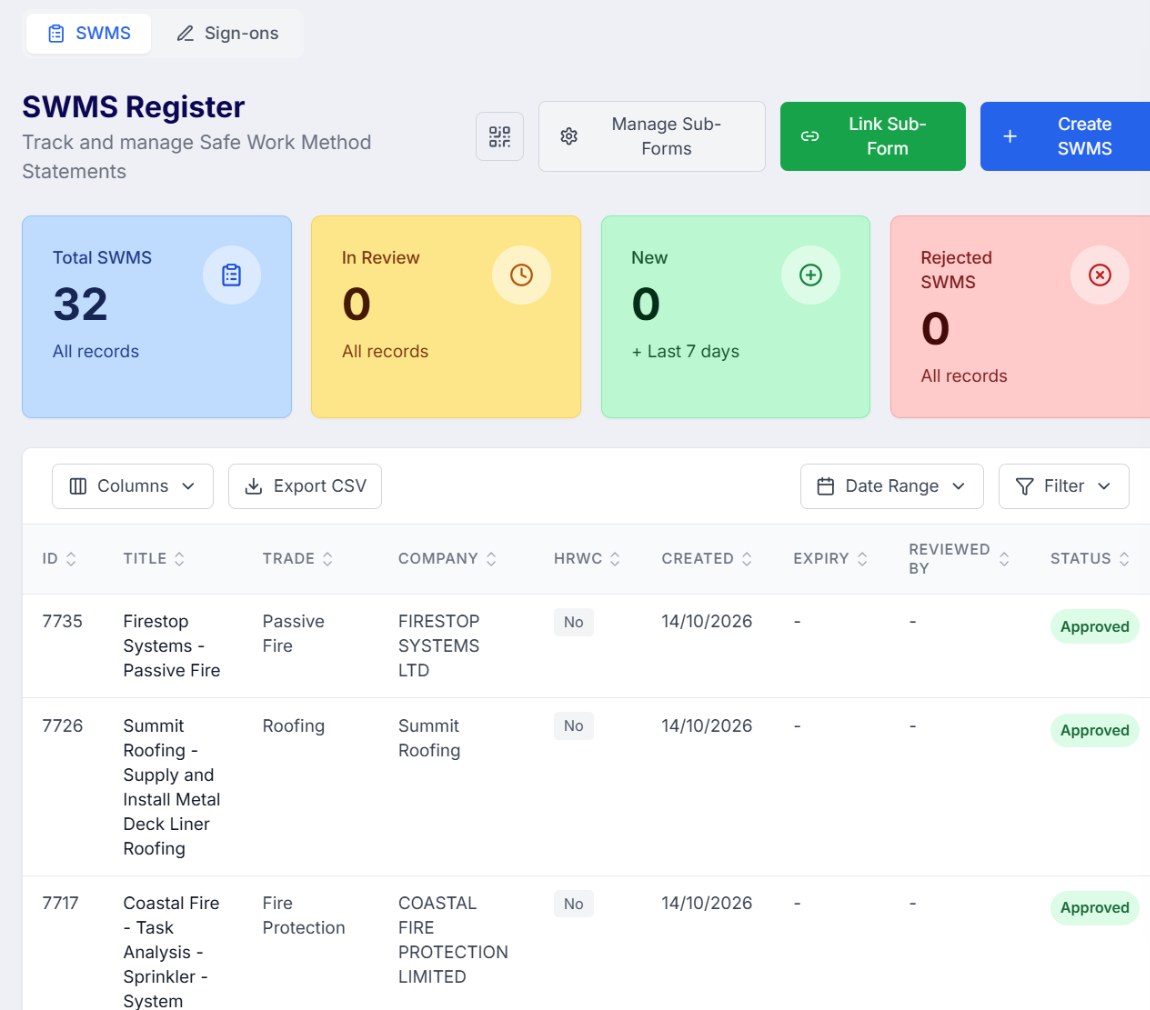
SWMS straight into approval
Submit a SWMS in DS Site and the approval starts on its own, routed through your delegation of authority. No email chasing, no lost PDFs.
One sign-on link per subbie
Every subcontractor gets a prefilled SWMS sign-on link for each project, and their admin assigns their own people. Crews arrive ready.
Hot work permits, closed by the trade
Contractors open their hot work permits in the subcontractor portal, record the daily fire watch and close them out. You see every check.
Observations by contractor
Filter observations by contractor and by positive or negative, so recognition and repeat issues are both one click away.
Locations for the right project
Pick a project in DS Site and only its levels and areas show, so every record lands in the right spot.
DS Site: the whole platform in your pocket, on site
DS Site isn't a bolt-on safety app talking to your project tool over an integration. It is Deep Space, in the field. A QR code at the gate signs anyone onto site, captures the induction and the SWMS, and the moment it's saved it's already in the platform, no sync, nothing to reconcile.


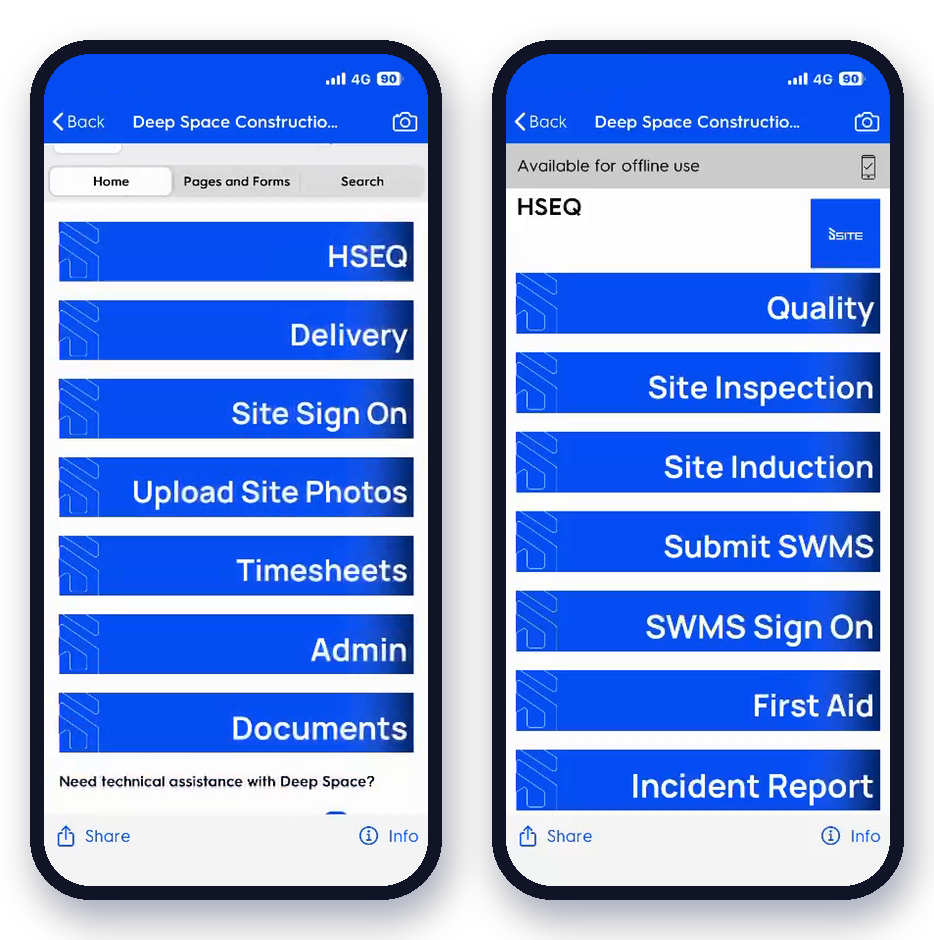
- One QR, any form

- Works offline

- One QR, any form

- Live who's-on-site

HSEQ is part of the full delivery system, not a separate add-on
This is the difference. On Deep Space, safety and quality share the same data as the rest of the project, so your records stay in sync with what's actually happening on site. Tap a module to see exactly what flows.


What HSEQ teams across ANZ actually need
These are the jobs builders tell us they're trying to do, on real sites in Australia and New Zealand. Here's how each one runs on Deep Space.
We were running one app for sign-on, another for safety, a spreadsheet for quality and SharePoint for the evidence. The win isn't a new safety tool. It's one set of records the crew already keeps, finally connected to the job.

I want every worker to scan a QR at the gate, confirm their induction and tick today's pre-start, so I always know who's on site and that their tickets are current.

Site manager
commercial builder, NZ
I want subbie SWMS captured and
accepted at sign-on, never "approved", so collecting and monitoring the method doesn't pull the subbie's liability back ontous.

HSEQ manager
commercial builder, AU
I want Take 5s, JSAs and hazard reports filled in on the phone and landing straight in the register, so a hazard is visible before the clipboard ever reaches the office.

Safety officer
commercial builder, ANZ
I want photos on each inspection and ITPline straight from the app, so a hold orwitness point is evidenced exactly where the work happened, against the activity on the programme.

Quality / site lead
commercial builder, NZ
I want my ten most-used forms brought across as they are, so the crew keeps the forms they know while the data finally connects to delivery and reporting.

Software champion
commercial builder, AU
I want the safety numbers to roll up across every project on their own, so the monthly board report isn't a manual rebuild the night before.

Director / owner
commercial builder, AU
I want every worker to scan a QR at the gate, confirm their induction and tick today's pre-start, so I always know who's on site and that their tickets are current.
Site manager
commercial builder, NZ
I want subbie SWMS captured and
accepted at sign-on, never "approved", so collecting and monitoring the method doesn't pull the subbie's liability back ontous.
HSEQ manager
commercial builder, AU
I want Take 5s, JSAs and hazard reports filled in on the phone and landing straight in the register, so a hazard is visible before the clipboard ever reaches the office.
Safety officer
commercial builder, ANZ
I want photos on each inspection and ITPline straight from the app, so a hold orwitness point is evidenced exactly where the work happened, against the activity on the programme.
Quality / site lead
commercial builder, NZ
I want my ten most-used forms brought across as they are, so the crew keeps the forms they know while the data finally connects to delivery and reporting.
Software champion
commercial builder, AU
I want the safety numbers to roll up across every project on their own, so the monthly board report isn't a manual rebuild the night before.
Director / owner
commercial builder, AU
Built to stand up to an audit
Aligned to the standards and the legislation your business is measured against, on both sides of the Tasman, with the records to prove it.
Health & safety
ISO 45001
Quality
ISO 9001
Environment
ISO 14001
Data security
ISO 27001
Australia
 SWMS for high-risk construction work, assigned to the activity and accepted at sign-on
- Notifiable incidents flagged so dangerous incidents aren't missed under your duty to notify
- A complete record to demonstrate the primary duty of care and reasonably practicable steps
New Zealand
- Evidence of the PCBU discharging its duties, with worker engagement recorded at sign-on
- Notifiable events captured with the detail WorkSafe NZ expects, time-stamped from the field
- Overlapping-duty records when you share a site, so every PCBU' s part is on one trail
Fewer apps. One source of truth.
The point isn't another safety tool. It's bringing safety into the platform your projects already run on, so there's nothing left to reconcile between systems.
 Standalone sign-on app
 Site sign-on & inductions
- Separate HSEQ platform
- SWMS, permits & hazards
- Paper forms & PDFs
- Incidents & corrective actions
- Quality in another tool
- ITPs, inspections & defects
- SharePoint for evidence
- ISO-aligned evidence, searchable
- Board report built by hand
- Live dashboards
Our safety app doesn't talk to anything else, so every board report is a manual rebuild. With ISO this year, that has to change.
HSEQ is usually where we start
It's the cleanest first win: high volume, clear forms, immediate value on site. We set it up with you, run it live on one real project, then widen out across the platform.
 Forms migrated from paper, PDF or your old app
- Sign-on, inductions & SWMS configured
- Site teams confident on the app first
- Admins able to edit & correct forms themselves
- One project proven before you scale
- Reporting & ISO evidence in place from day one
From blueprint to handover. One platform. Every step.
Thirty minutes, no install, no commitment. We'll walk through a workspace configured for a builder your size, with the retentions register, the prov sum drawdown audit, and the final account close-out actually running.
Everything you'd want to know before a demo
The questions that come up in every conversation, answered straight.