Take control of every package you buy.
Most of your project cost is committed before a trade sets foot on site. Once a package is let, the margin on it is already decided.
Deep Space runs subcontractor tendering, procurement and letting on the same platform as your programme, your documents and your commercial. The buy is controlled where the margin is actually decided, not in a spreadsheet beside it.
Every award flowing into the budget register.
Nothing retyped.
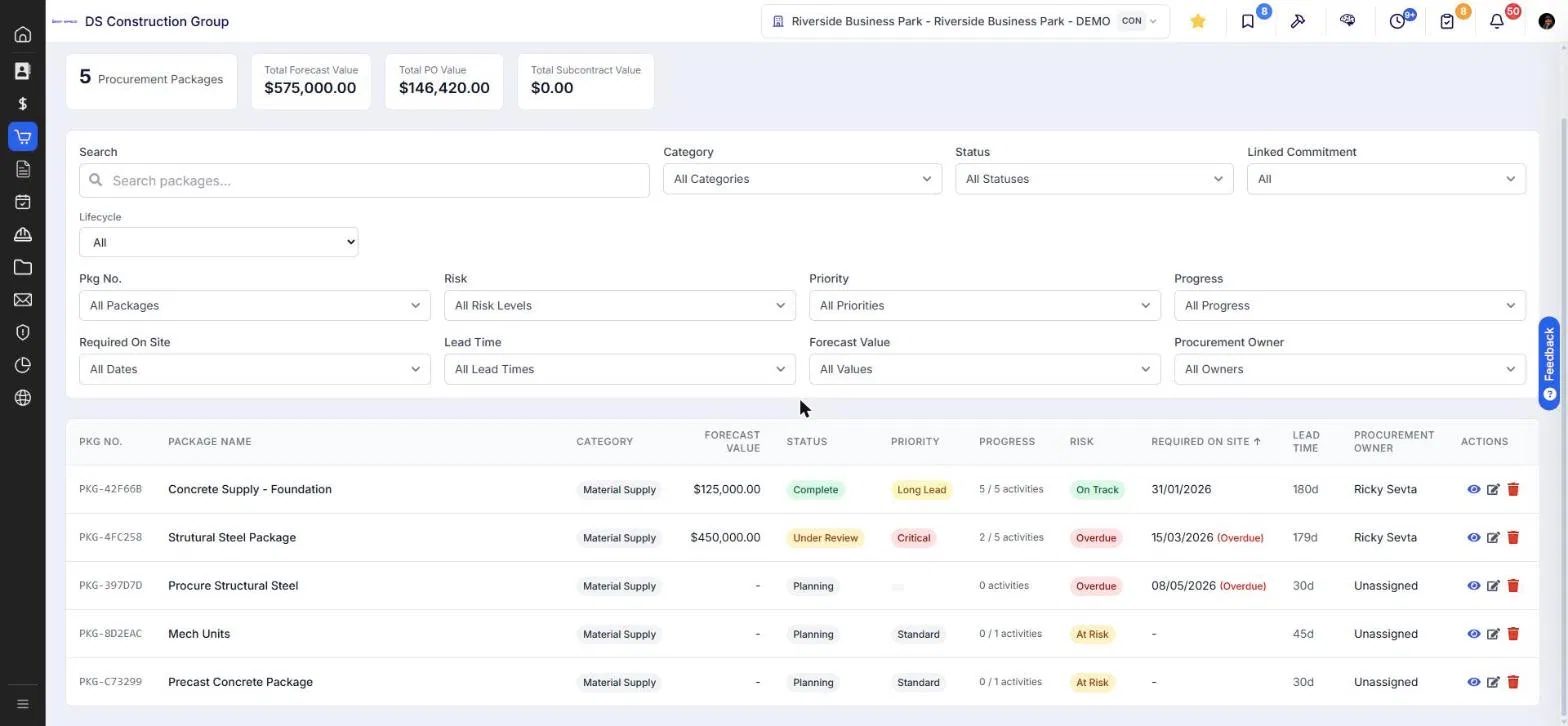
Pricing the project and procuring the trades are two different exercises.
Most platforms collapse them into one. Deep Space keeps them separate because your estimators and your CAs are doing genuinely different work, and the handover between them is where money leaks.
You go out to subbies with an RFQ so you can price the scope and build your own bid. Scope of works, tags, tender sets, addenda, submissions and a scored comparison.
The pricing you gathered at tender becomes the basis for what you now have to buy. Nothing about that pricing should have to be re-entered.
You go back to the same subbies to lock firm scope, price and terms into an actual subcontract, against dates the programme is telling you.
Scope gaps are not a tendering problem. They are a library problem.
The same scope gap costs you on every project until someone writes it down properly once. Deep Space holds scope and standard qualifications at workspace level, versioned. Your CA can tailor either one to suit the project in front of them, and the library stays untouched until you decide the change should apply to everything.
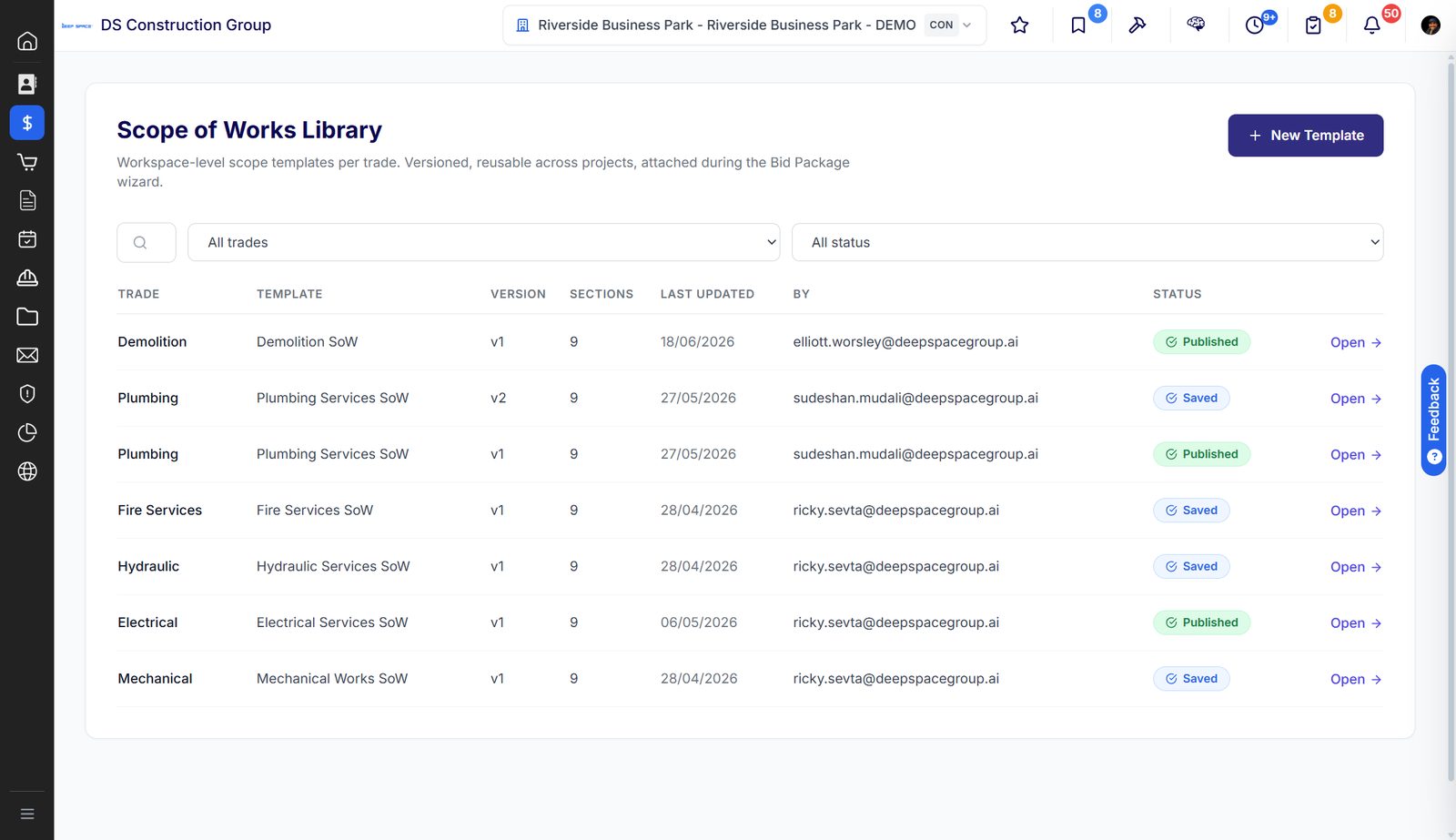
Workspace-level scope templates per trade, versioned and published, attached during the bid package wizard. Edit the project scope and only that project changes. Publish a new version in the library and every future package carries the fix.
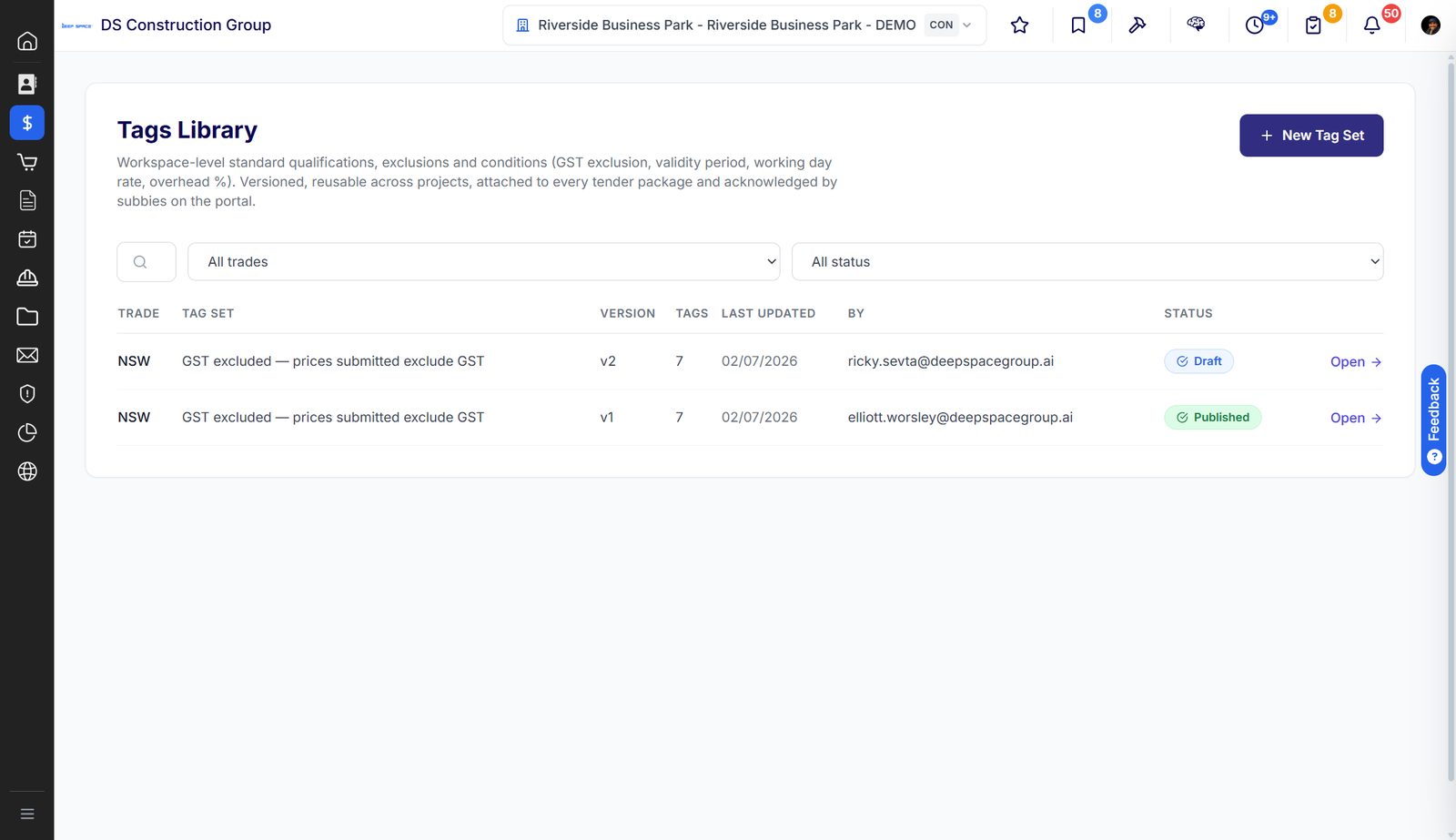
Standard qualifications, exclusions and conditions. GST treatment, validity period, working day rate, overhead percentage. Adjust them per package where the project demands it, and every subbie acknowledges what they are pricing against on the portal.
You are not going back out to market. Most of the time.
Software built offshore assumes every package gets re-tendered after award. Any CA who has let a package knows that is the exception. Deep Space is built for what actually happens, which is why the tender set is a frozen revision and an addendum carries it forward rather than replacing it.
You negotiate directly off the original tender pricing and go straight to subcontract. No new document round at all.
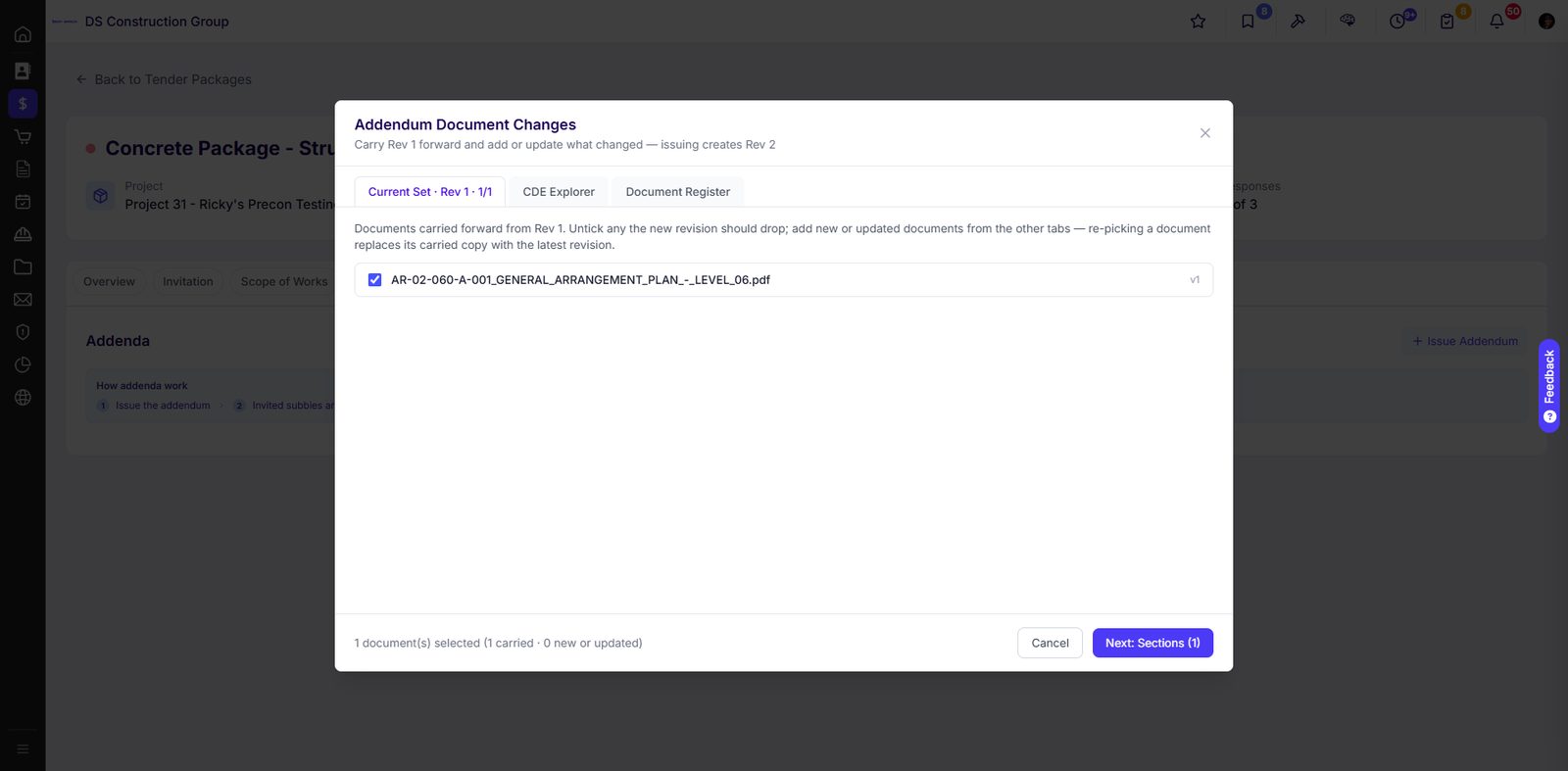
Tender-stage docs are now IFC. You issue an addendum against the original set to capture the delta, and the platform tracks which subbies have acknowledged it. You do not re-issue the whole package and re-open pricing.
Big packages, stale pricing, or you want to sharpen the number with more competition. More common in Sydney and Melbourne where preferred-subbie relationships carry less weight.
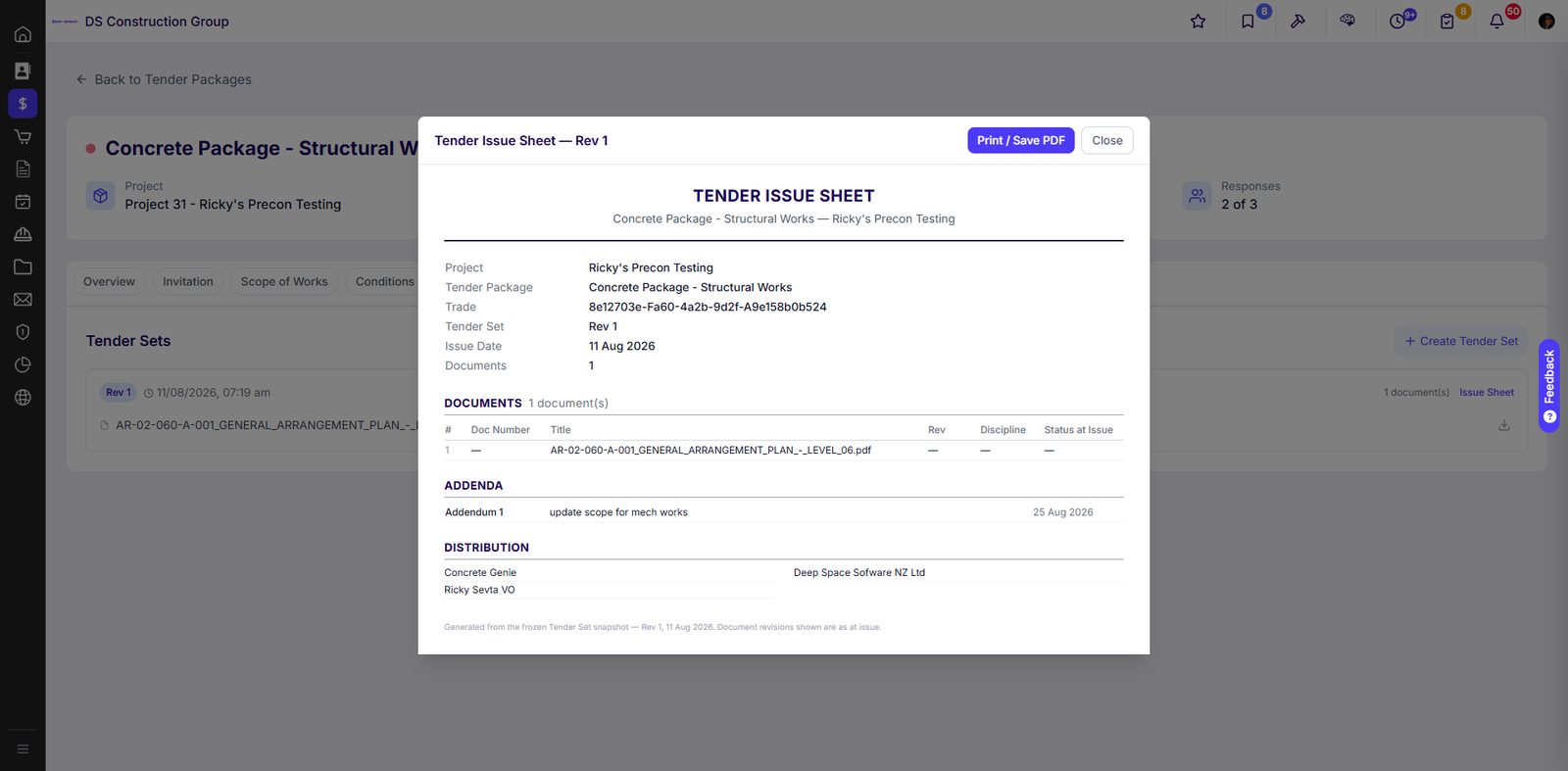
Every tender set is a frozen snapshot with its own issue sheet, showing exactly which documents went out at which revision and who they went to. An addendum carries that set forward and records only what changed.
- Tender Issue Sheet generated from the frozen set, printable as a PDF
- Document revisions shown as at issue, not as they are today
- Grouped by class: drawings, specifications, scope, schedules, clarifications, addenda
- Unacknowledged addenda flagged against each invited subbie
The cheapest number is not the number.
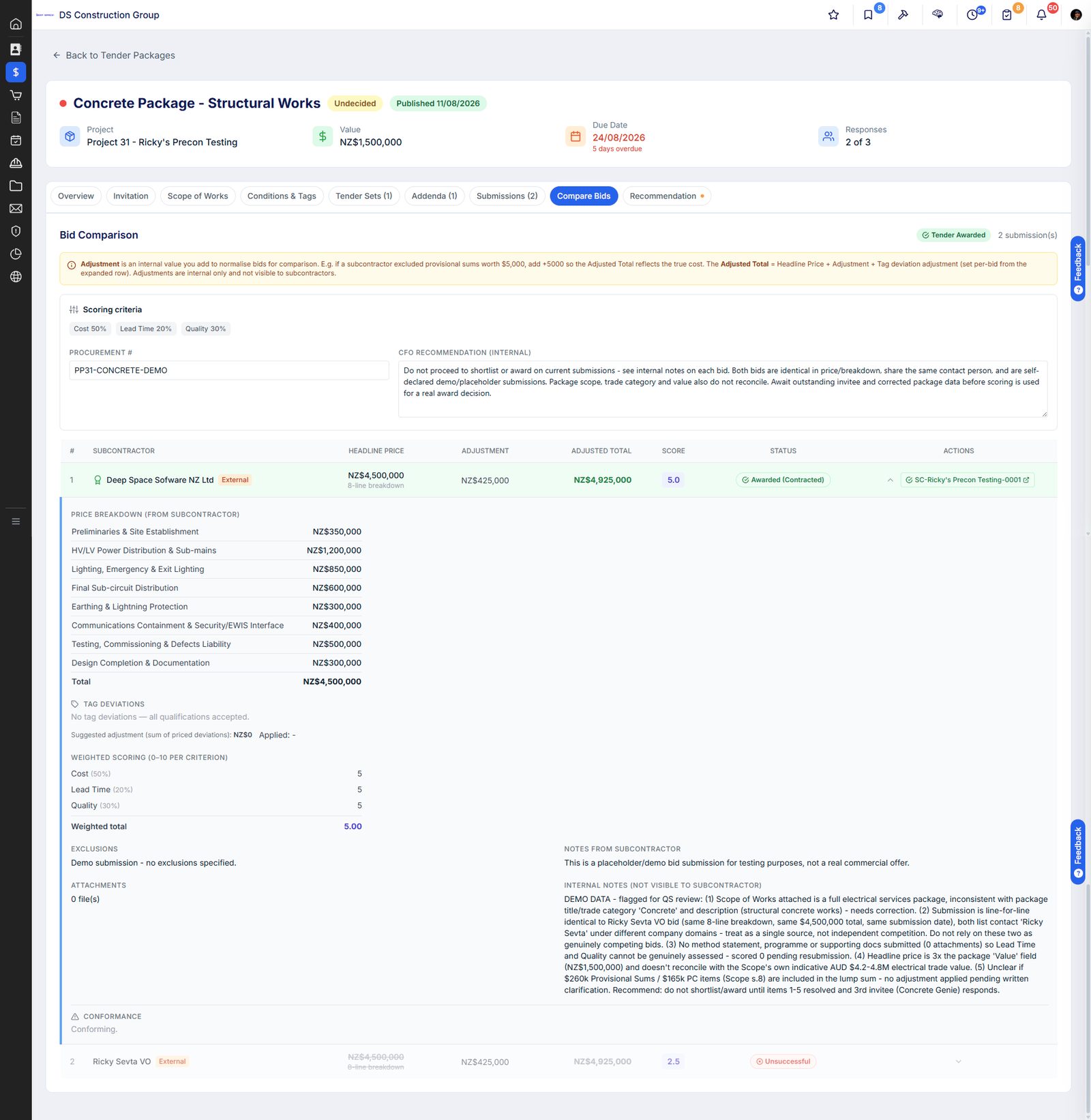
Bids arrive with different exclusions, different qualifications and different lead times. Deep Space normalises them so the comparison is real, keeps your internal reasoning out of the subbie's view, and routes the award through approval before anyone commits.
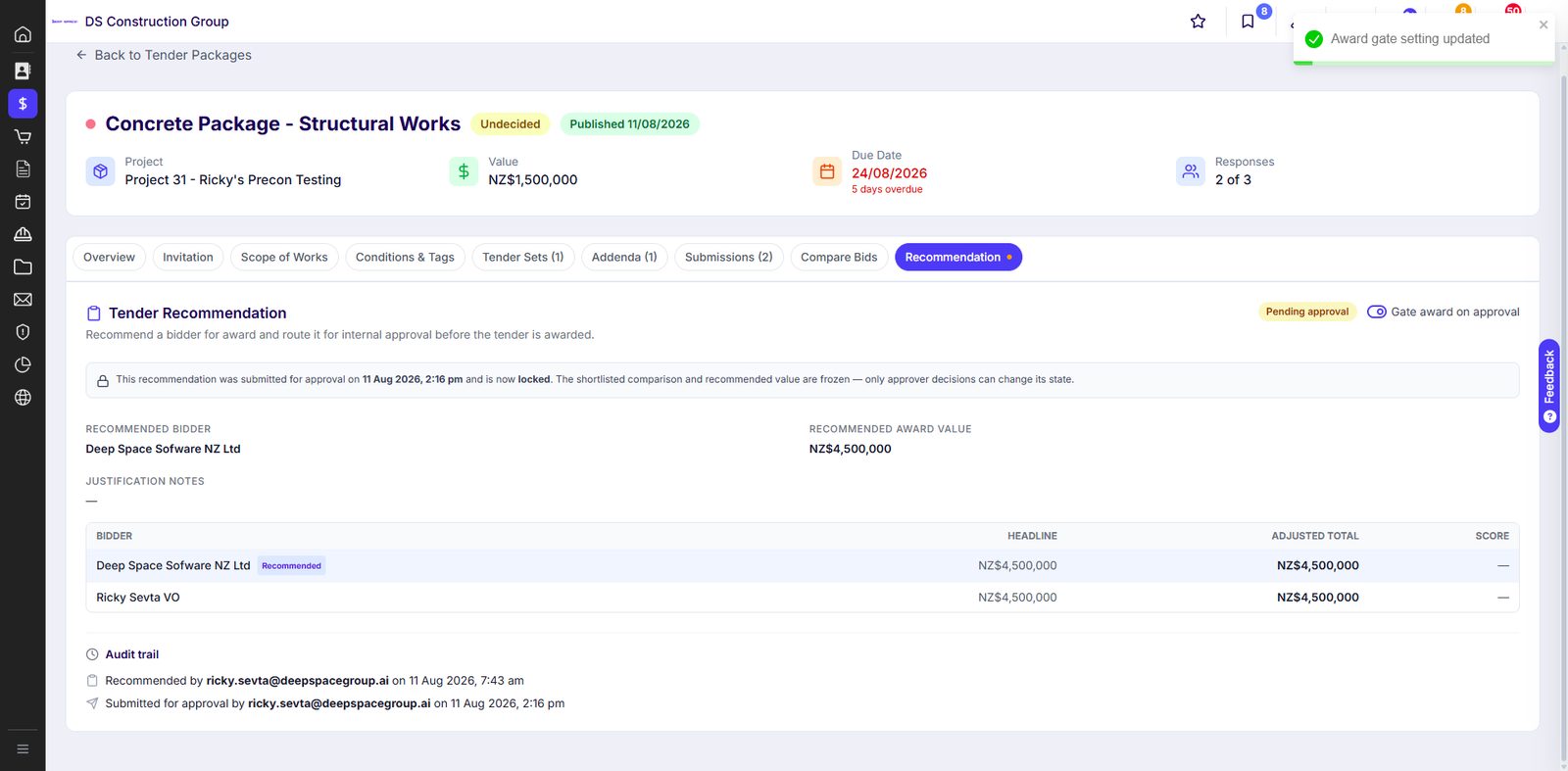
Turn on the award gate and no package can be let until the recommendation clears internal approval. The comparison that supported the decision is frozen at the moment of submission, with a full audit trail.
- Weighted criteria set per package, not a fixed template
- Adjusted totals so like is compared with like
- Recommendation routed for approval with a gate you control
- Audit trail of who recommended, who submitted and when
Levelling bids is the last thing still done by hand.Coming
The comparison engine was built AI-ready from the start. KAI is already live across the platform reading invoices, drawings and correspondence. The bid analysis layer is next, and it lands on the structure that is already there rather than a bolt-on that guesses.
KAI reads what the subbie actually sent, a PDF quote or a priced schedule, and lands it against the pricing schedule lines you asked them to price.
The exclusion buried on page four of one quote and absent from the other two is the one that costs you. KAI surfaces where the bids genuinely differ, not just where the totals do.
KAI drafts a trade scope from the tender documents themselves, so the library entry starts from what the drawings say rather than a blank page.
What they priced is what they are contracted to.
Award converts the tender package into a subcontract or purchase order, and the Contract Documents schedule is built from the frozen tender set. Tender Set Rev X, every addendum and every clarification carry across. There is no version of this argument left to have in twelve months.
Subcontract templates for the contracts ANZ builders actually use, with e-signature built in. No DocuSign licence, no separate signing platform, no exporting to Word to get a signature block in the right place.
- AS 4901 and AS 4902 for Australia, SA2017 and NZS 3910 for New Zealand
- Terms and conditions library so your standard clauses are already there
- E-signature with a signing order you configure, subbie first or builder first
- Executed status written back automatically, with the signed pack stored on the contract
- Commercial particulars, security settings and retention captured at creation
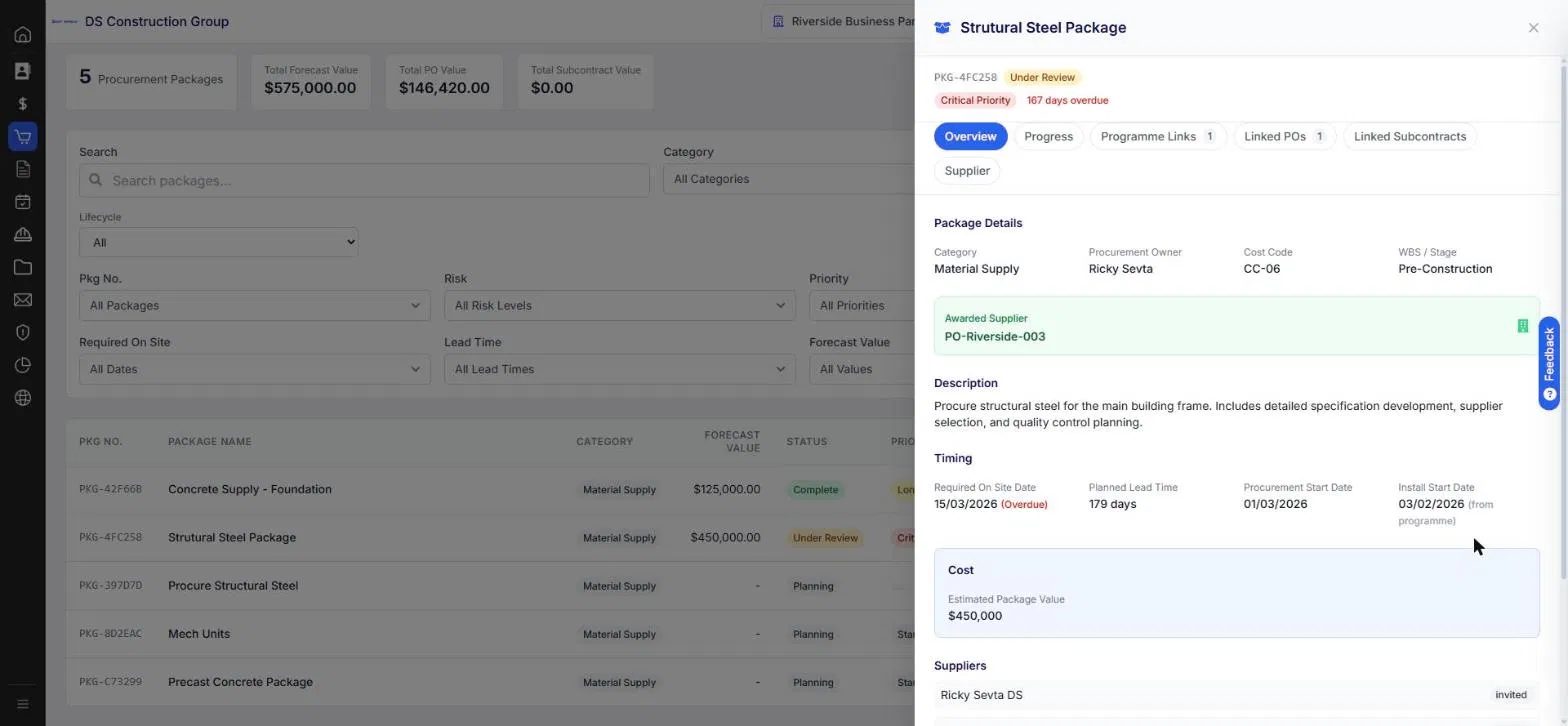
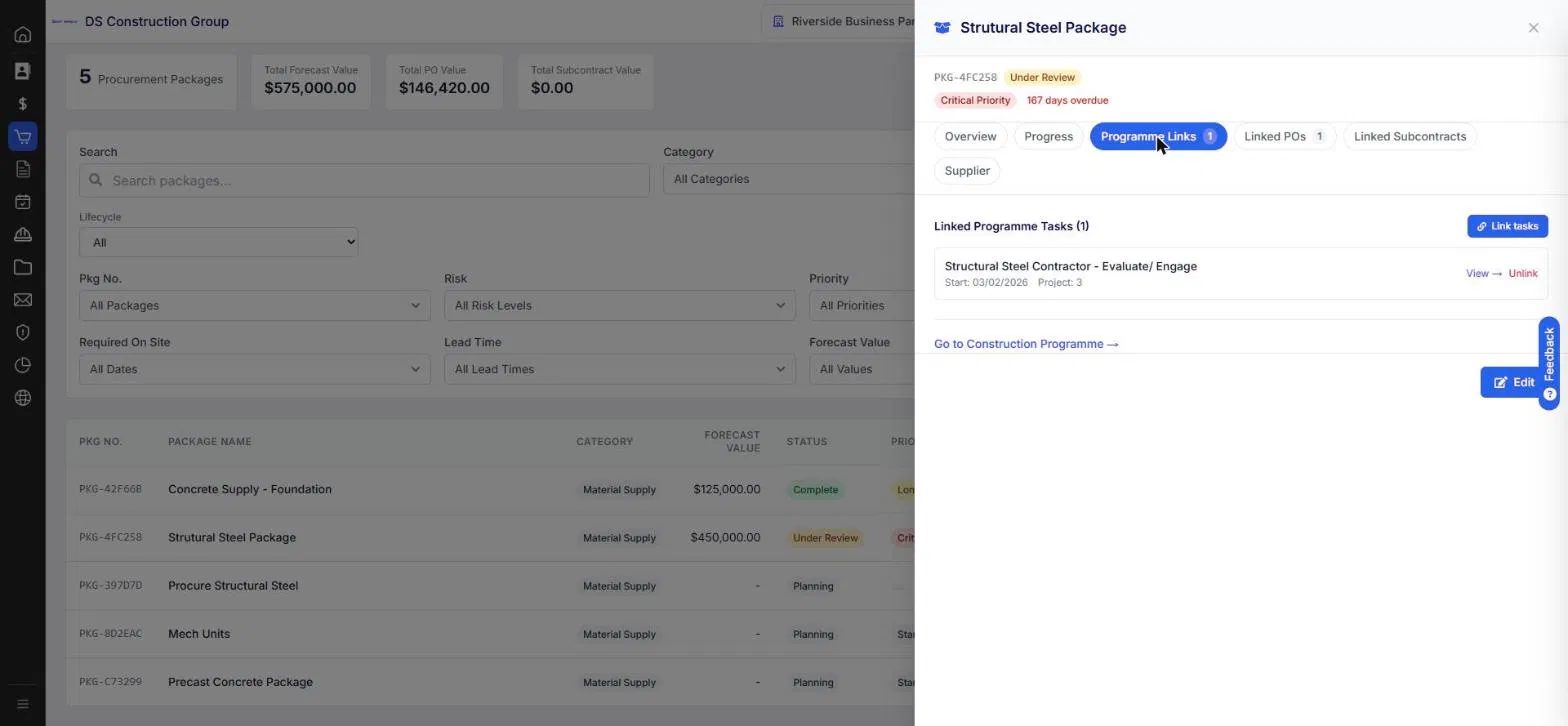
The procurement schedule is not a parallel document. Convert a programme task straight into a procurement package, and the procurement lead time shows on the Gantt so the planner sees the buy as part of the build.
- Convert a programme task into a package, from MS Project or P6
- Procurement lead time visualised on the construction programme
- Overdue and at-risk calculated against the need-by date
- Linked POs and subcontracts flow into the budget register as commitments
Procurement software that needs four other systems is not a platform.
Point solutions solve procurement and then hand you an integration list. Every integration is a licence, a sync that breaks, and a conversation about which system is right. Deep Space runs procurement because it already runs the rest of the project.
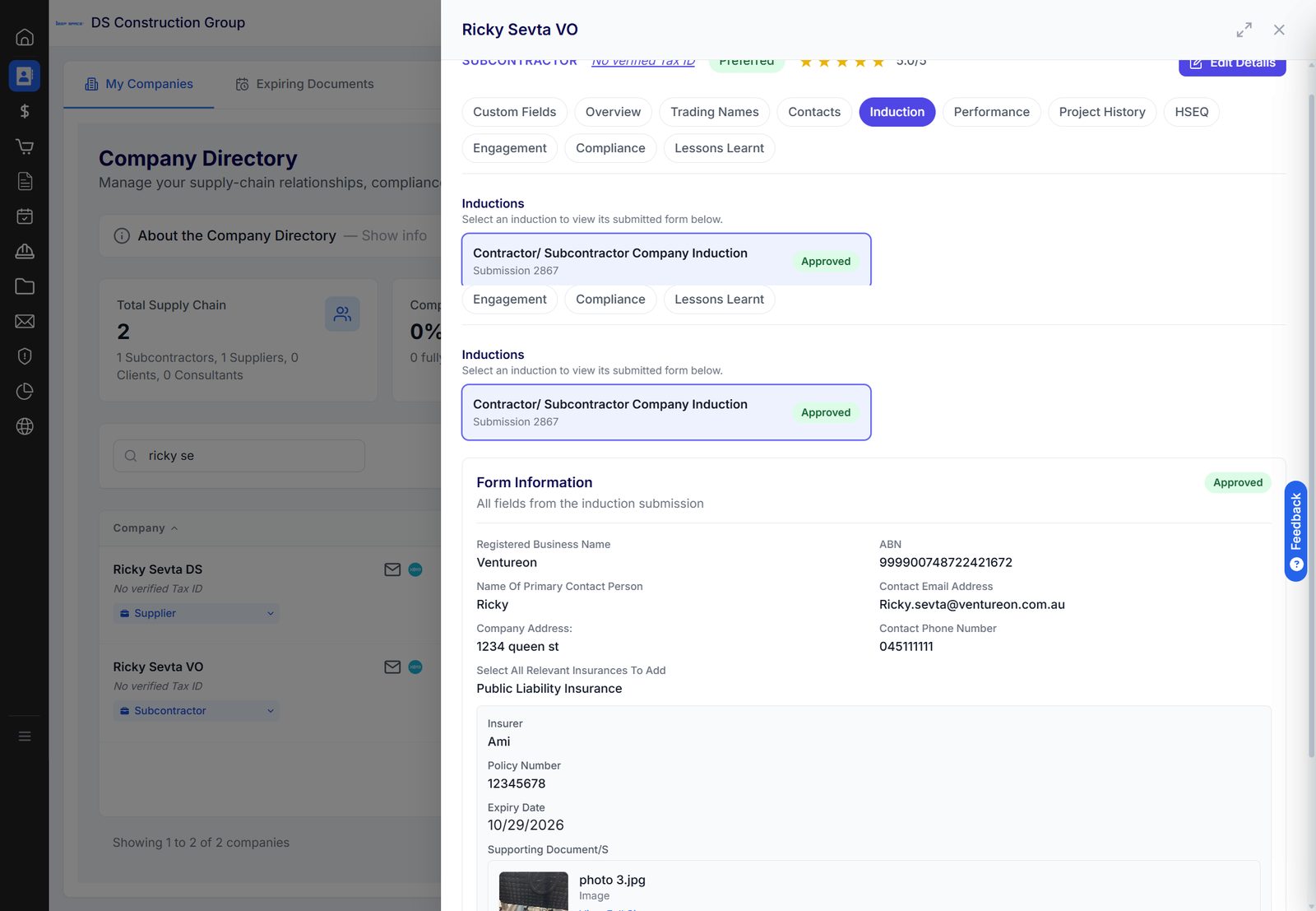
Because the directory is part of the platform, the subbie you are about to award to carries their own history with you. Performance, project history, compliance, insurances with expiry dates, and lessons learnt from the last project.
- Preferred status and rating on the company record
- Insurances and certificates with expiry tracking
- Inductions, compliance and HSEQ against the company
- Lessons learnt captured so the next CA does not repeat the last one
Whether you are still doing this in Excel, or you have already bought a dedicated procurement product and bolted it onto everything else.
See it on one of your own packages.
Thirty minutes. We set up a workspace against your project type and walk a real package from tender through to executed subcontract.
.png)


.png)