Your commercial team
enters it once. Your ledger
gets it right.
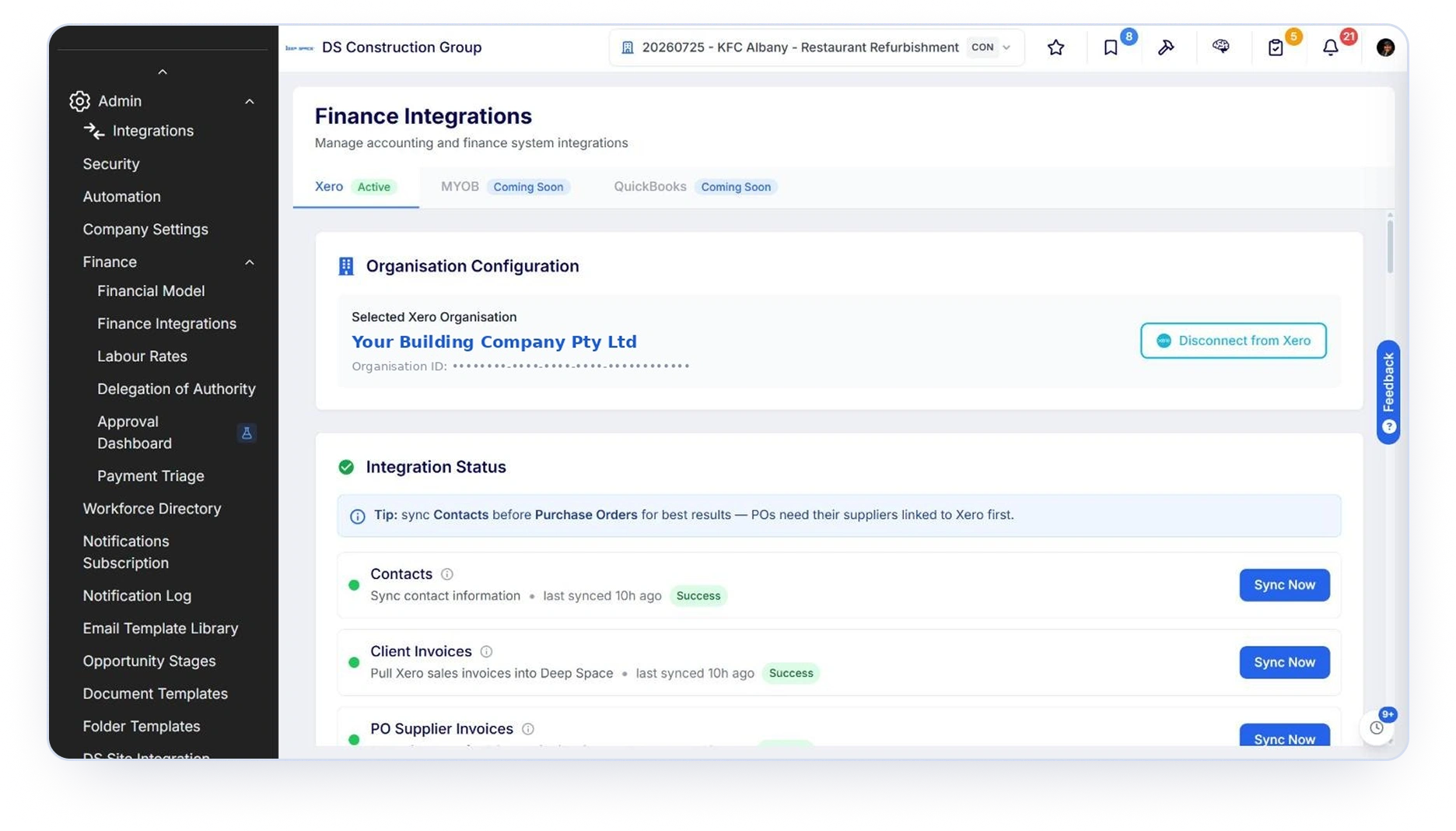
Deep Space connects to Xero so certified head contract claims,
subcontractor claims, supplier invoices and purchase orders post
straight to your ledger, coded to the right account, tagged to the right project, with the original invoice attached to the bill.
No re-keying. No chasing paperwork at payment time. One set of numbers your commercial team and your accounts team both trust.
Who this is for
Xero sits in the Move the Money segment of the Builder's Wheel. The people who feel this integration every day are the ones moving cash between the job and the ledger.
Commercial Managers and CAs
You certify a claim once. You do not
then re-enter it in Xero, and you do not
get asked three weeks later whether
the subbie was paid.
Finance and Accounts Payable
Bills arrive already coded to your chartof accounts, tagged to the project, withthe subcontractor's invoice attached tothe record so your pre-payment check happens where you already work.
Directors
Project actuals and the general ledger
stop disagreeing, so the monthly
numbers are the same numbers.
The pain this removes is specific
A subcontractor claim gets certified in one system, typed again into another, then the bookkeeper emails the CA asking for a copy of the invoice before releasing payment. That is three people touching one transaction. On Deep Space it is one.
How it works
Four steps, and the third one is where the actual work is.
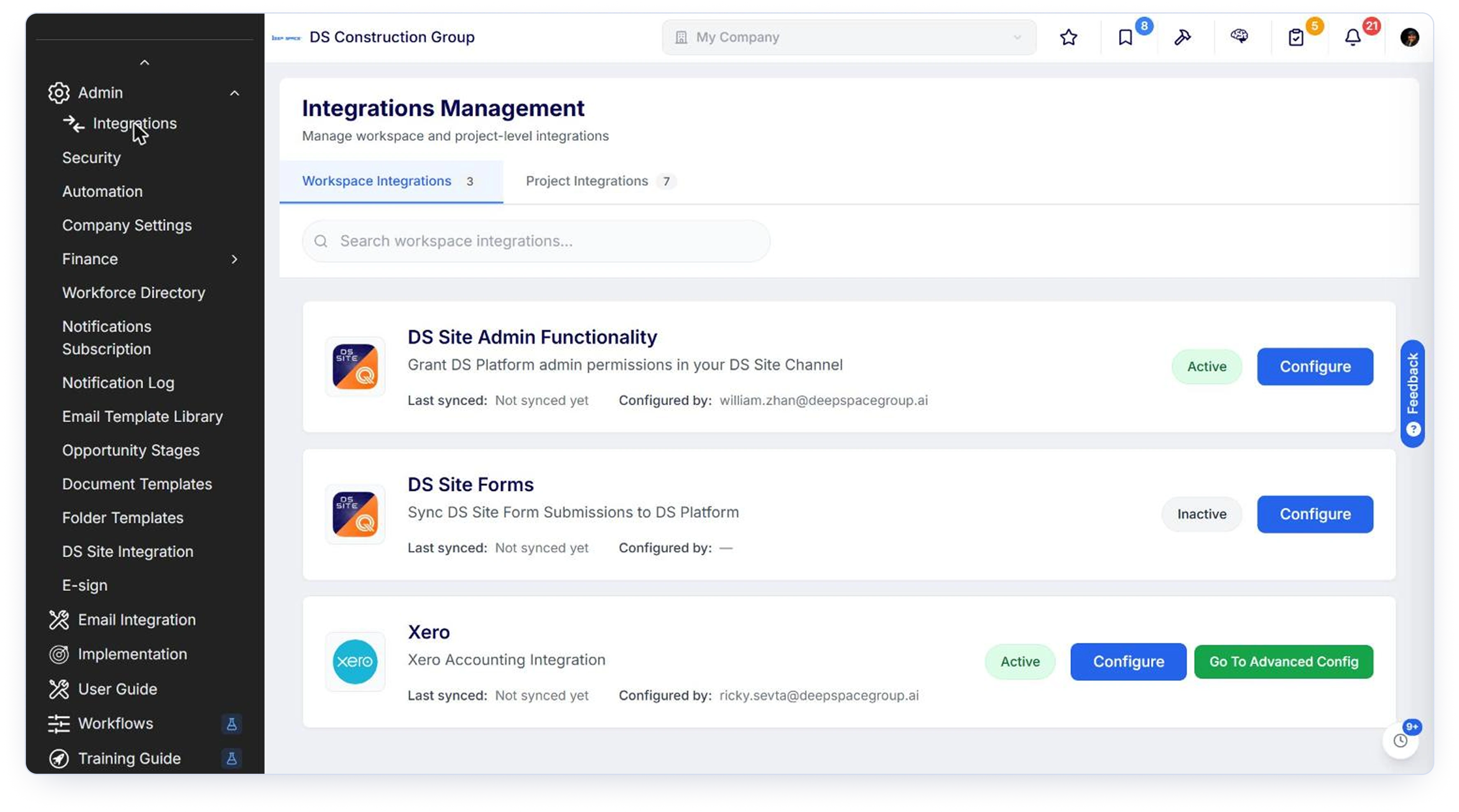
An admin authorises Deep Space against your Xero organisation from the Integrationspage. The person doing it needs a Xero login with permission to manage appconnections in that organisation, which in practice means your finance admin.
Connecting Xero and configuring the sync are two separate steps. Once connected, Finance Integrations becomes available.
This is the part that decides whether the numbers land correctly. Covered in detail below.
Turn on the sync types you want, decide whether
attachments travel with each record
type, and set the schedule to a nightly automated run or manual only.
One workspace, one Xero organisation
Projects are separated inside that organisation by tracking category, not by separate Xero files.
What syncs, and in which direction
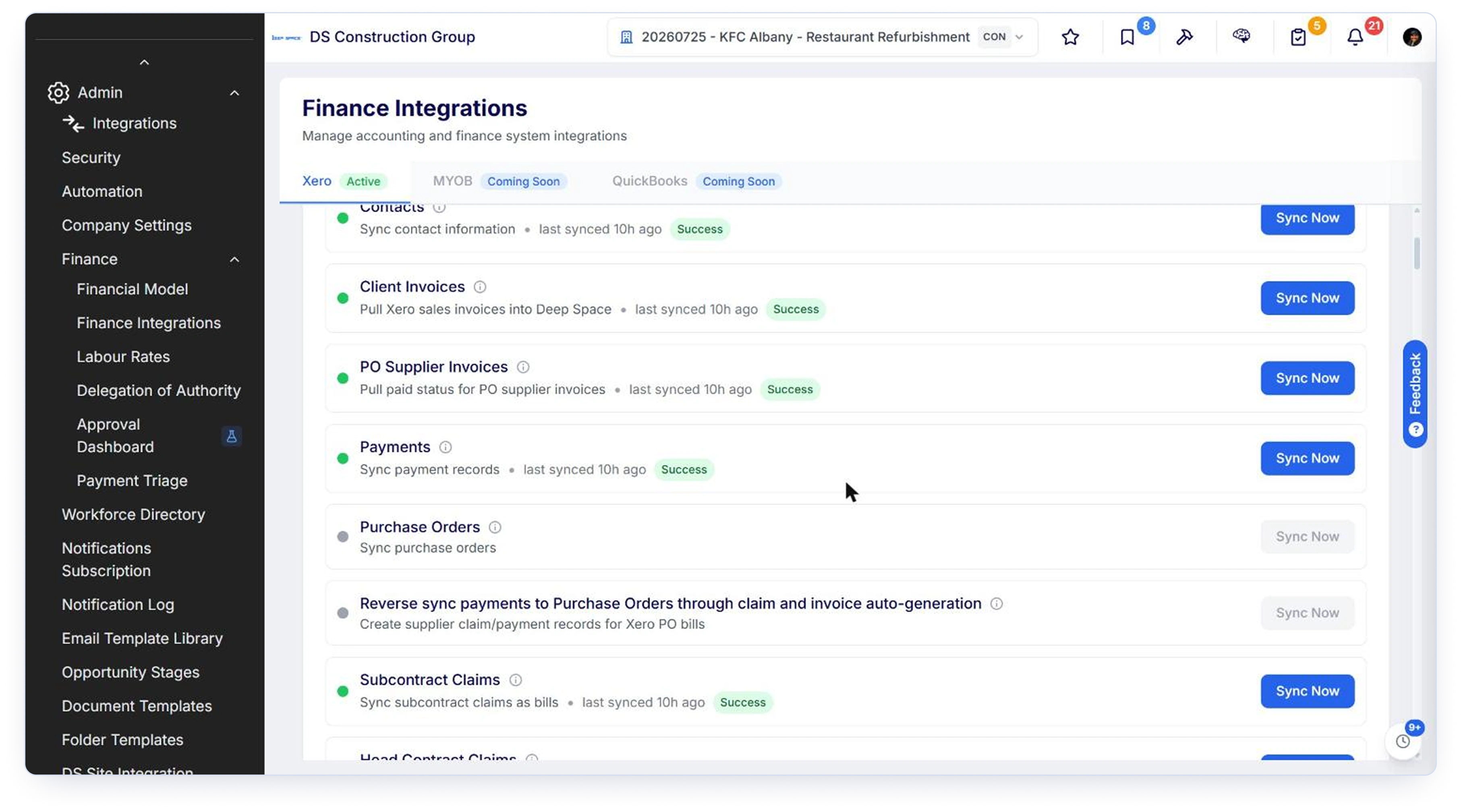
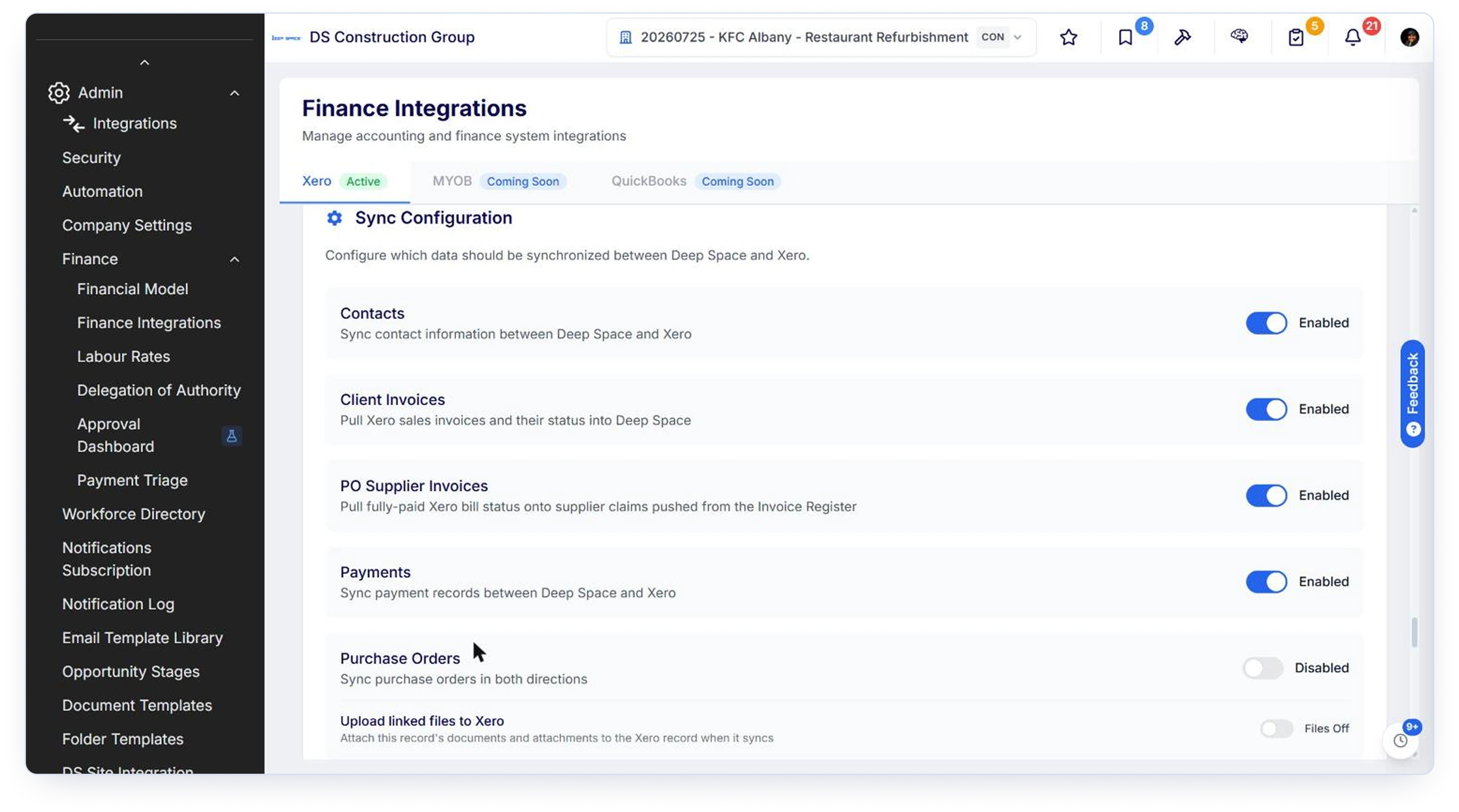
Eight sync types, four of them bidirectional. Deep Space always creates Xero documents in Draft so nothing reaches your ledger without a human approving it in Xero.

draft
invoice
subcontractors in the directory
schedules and purchase orders
back, by design
record is the Xero invoice
a Deep Space PO
schedule against that PO
Why only Paid comes back

This is deliberate and worth understanding. Paid is the one Xero status with anunambiguous commercial meaning: the money moved. Voiding and deleting areaccounting housekeeping, not commercial events. Deleting a draft is routine cleanup. Voiding is usually a reissue. Mapping those onto a commercial state would tell your commercial team a claim was disputed when nothing of the sort happened, so Deep Space leaves the claim's status alone.
Coding: where the money actually lands
Two mapping decisions and one tagging decision. Get these right at setup and every push after that is coded correctly without anyone thinking about it.
Four default accounts cover the whole workspace
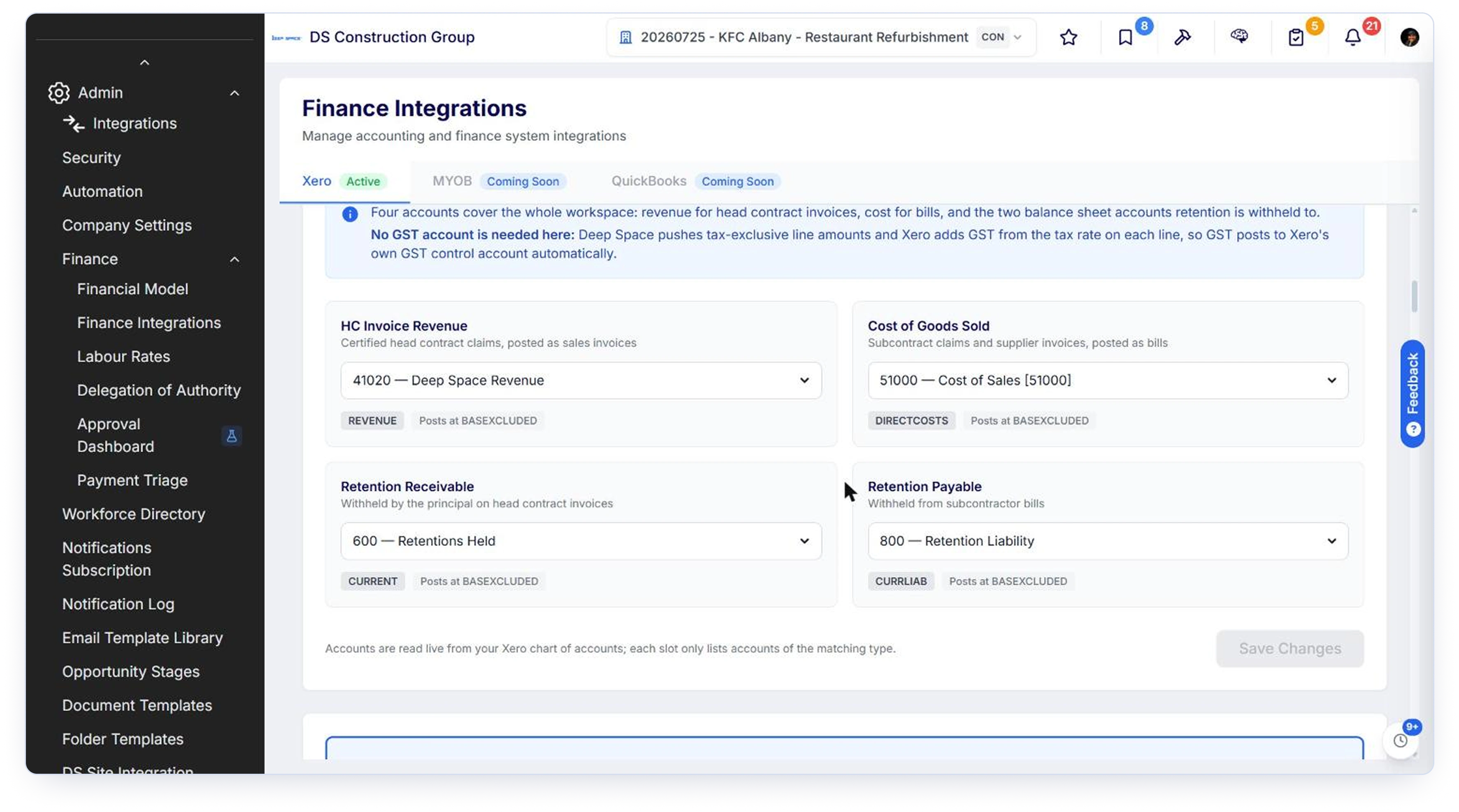
HC Invoice Revenue
Where certified head contract
claims post as sales invoices.
Cost of Goods Sold
The fallback for cost lines when no cost code or cost type mapping resolves.
Retention Receivable
What the principal holds back on your head contract invoices. Current asset accounts only.
Retention Payable
What you hold back from subcontractor bills. Current liability accounts only.
Retention is posted as its own line rather than netted into revenue or cost, so you can see it, adjust it and release it independently. The retention slots only accept non-system accounts, because Xero locks its own Accounts Receivable and Accounts Payable accounts against manual adjustment.

There is no GST account to map
Deep Space pushes tax-exclusive line amounts and lets Xero add GST from the tax rate on each line, so GST posts to Xero's own control account automatically. This is standard Xero behaviour, and it is the answer to the question every finance director asks in the first setup call.
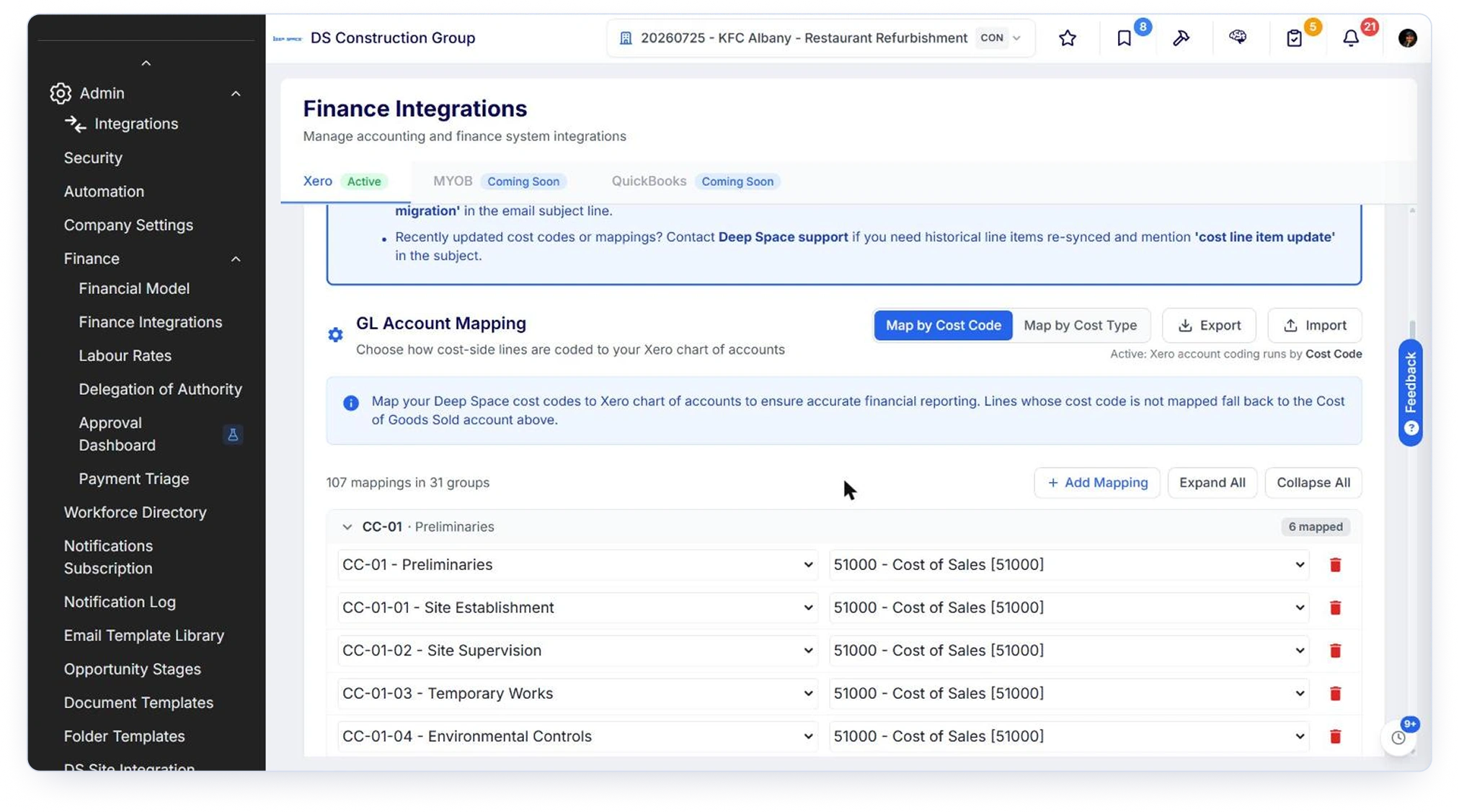
Both mapping sets are kept when you switch, so the switch only changes which one resolves. There are Export and Import controls for bulk work, and unmapped lines fall back to the Cost of Goods Sold account rather than failing.
Map by cost code, or map
by cost type
Map by cost type is the faster setup. A workspace running a hundred cost codes usually runs fewer than ten cost types, so it is a ten-minute job rather than an afternoon nobody finishes. Labour, Subcontract, Materials, Plant, Contingency, Margin, Fees, each pointed at one account.
Map by cost code gives you line-level granularity where you need it, and many cost codes can point at the same account. It earns its keep when your chart of accounts already runs a good spread of direct cost accounts and someone owns keeping the code table current. Choose from the shape of your chart of accounts rather than from which is quicker to configure. An unfinished cost code table sends every line to the fallback account, which is a worse result than cost type mode would have given you.
Projects become tracking
categories
Every line Deep Space pushes carries the project as a tracking category, so your Xero profit and loss can be read per job without separate Xero organisations. The tracking category needs to exist in Xero first, then you map it here.
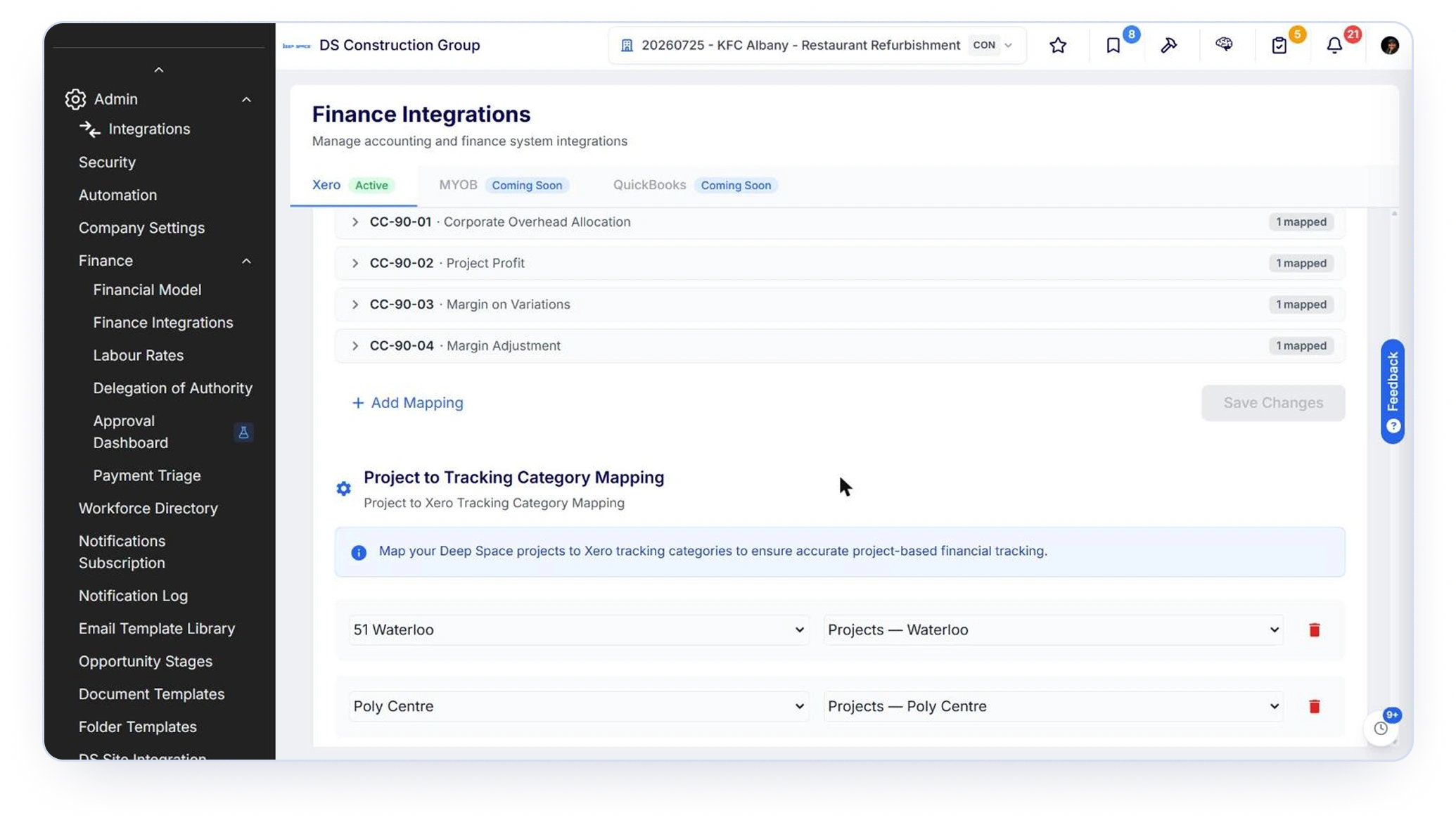
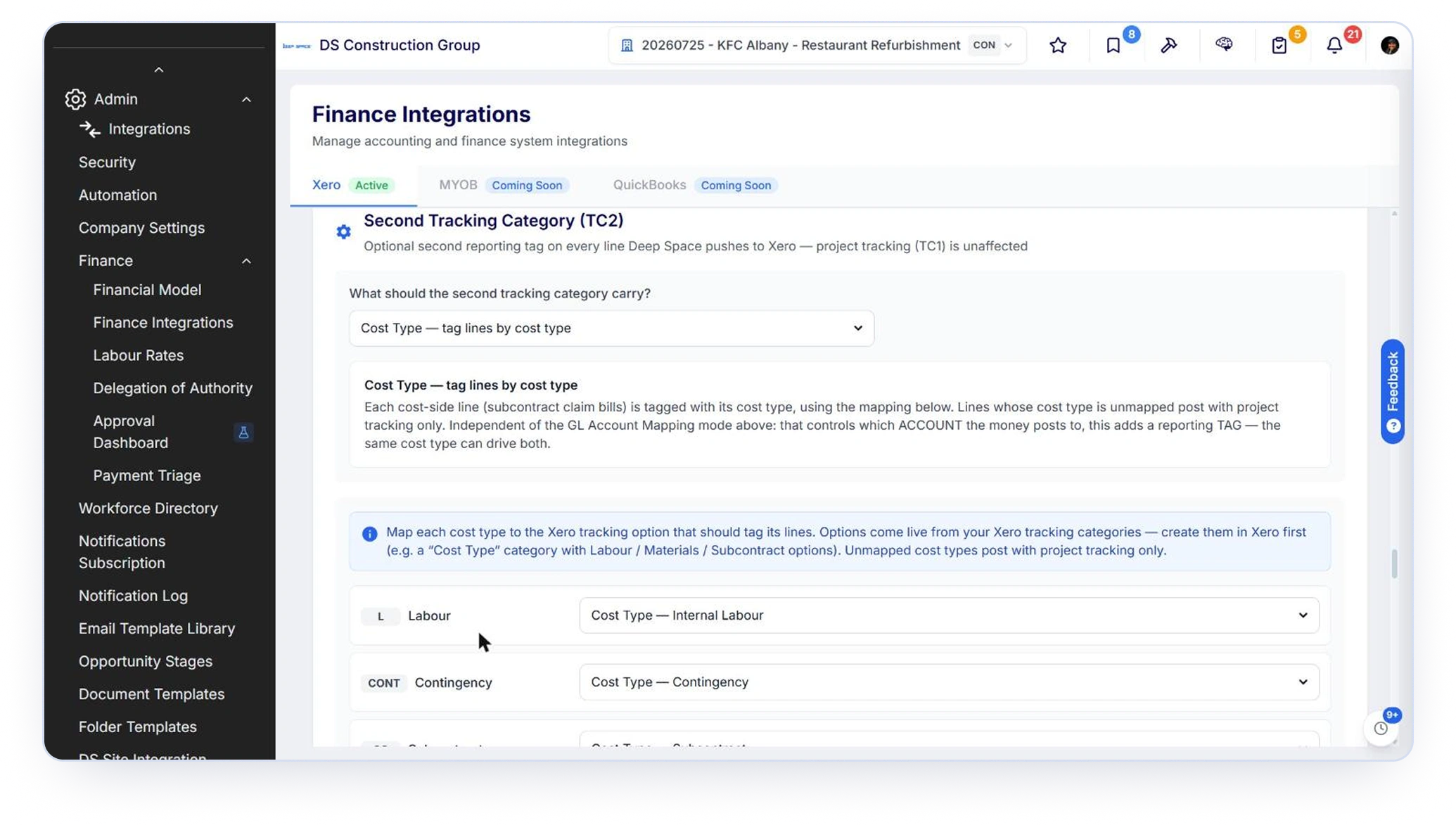
A second tracking category is optional and carries either cost type or department. Department mode name-matches the project's department to a Xero tracking option, which is how a builder running several regions out of one Xero organisation gets a per- region profit and loss.
Tax codes are chosen, never assumed
Xero organisations do not all use the same GST codes. Older Australian organisations expect INPUT and OUTPUT, newer ones expect INPUT2 and OUTPUT2, and pushing the wrong one gets rejected. Deep Space lets you pick the exact code for outbound purchase order lines and for head contract claim lines, with a plain-English description of what each one means and when to use it. The recommended setting for purchase orders is to send no override at all and let each account's own tax rate apply.
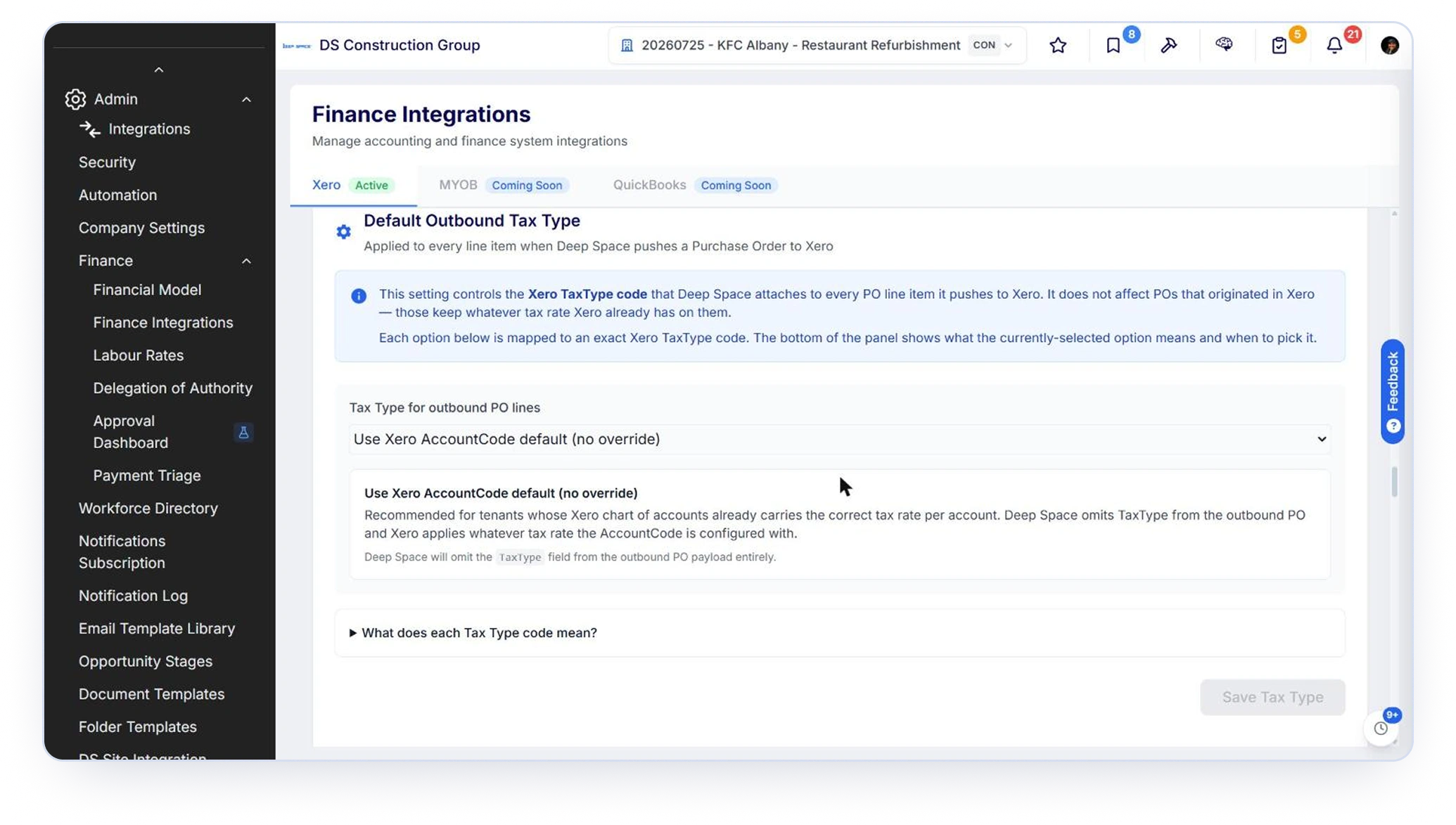
GST-free supplier invoices carry a GST-free code rather than having tax added on top, and individual lines can be overridden.
Attachments
The bill in Xero carries the paperwork. This is the difference between an integration your accounts team trusts and one they work around.
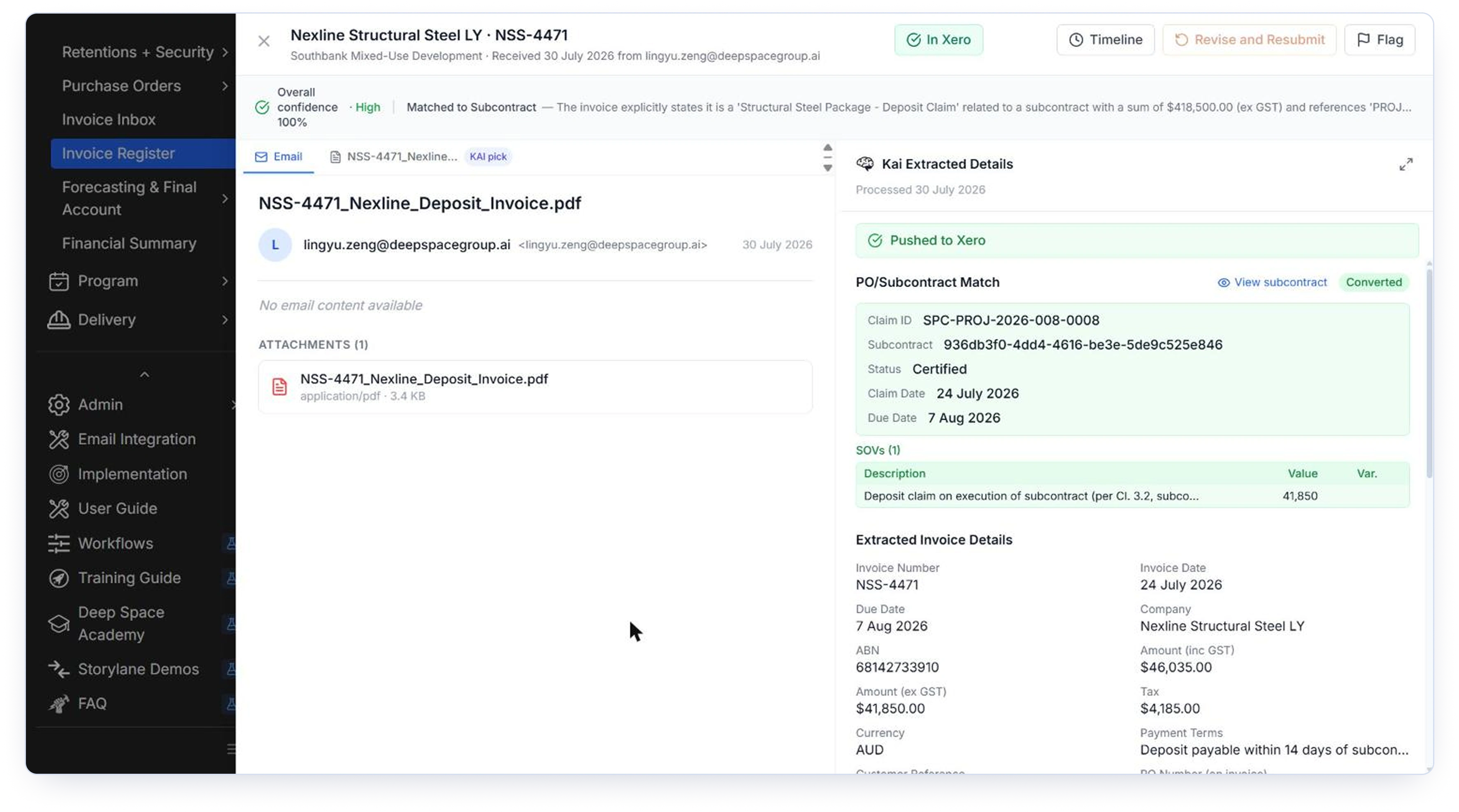
When Deep Space pushes a record, the documents on that record upload to the Xero object itself. The bookkeeper opens the bill in Xero and sees the subcontractor's invoice and any supporting document sitting on it, so the pre payment verification happens in the place it already happens.
You control this per record type. Attachment upload is a separate toggle from the sync itself, so you can push subcontractor claims with their paperwork and purchase orders without.
Add a document to a record that has already synced and the next run picks it up. There is also a Sync Attachments action on the record for pushing newly added files on demand without touching the financial record.
Xero accepts up to ten attachments per record and twenty-five megabytes per file. A file over those limits is skipped with a specific error against that file, and the financial export still succeeds. Attachment upload never blocks the money.

What attachments do not do
Documents flow one way, Deep Space to Xero. Files attached directly in Xero do not come back. Removing a document in Deep Space does not remove it from Xero, because the sync only adds. And a new version saved under the same filename is not re-uploaded over the old one. If you need Xero to show a revised document, save it under a new name.
Controls and governance
Nothing reaches your ledger silently.
All five push paths create Xero documents in Draft status. Someone in Xero approves them. The one exception is the deliberate one: the Send to Xero action on a head contract invoice moves that invoice's draft to approved, because that is the action a user explicitly took.
Before a head contract invoice is approved in Xero, Deep Space compares the draft total in Xero against the certified total in Deep Space. If they disagree by more than a cent it stops, shows you both figures and links you to the document in Xero. It does not approve and hope.
If another claim from the same supplier with the same supplier invoice number has already been pushed, the second push is blocked with a link to the existing Xero bill.
Deep Space can link to a bill that already exists in Xero for the same supplier and invoice number when the amount matches, rather than creating a duplicate. Anything ambiguous is refused with an error. Nothing in Xero is modified.
The optional reverse sync reads a paid Xero bill, matches it to a purchase order that already exists in Deep Space using the PO number on the bill, and generates the Deep Space side. It never creates a Xero document, never creates a new purchase order, and never matches on amount alone.
Head contract claims post the certified values from the payment schedule, not the claimed values.
All five push paths create Xero documents in Draft status. Someone in Xero approves them. The one exception is the deliberate one: the Send to Xero action on a head contract invoice moves that invoice's draft to approved, because that is the action a user explicitly took.
Before a head contract invoice is approved in Xero, Deep Space compares the draft total in Xero against the certified total in Deep Space. If they disagree by more than a cent it stops, shows you both figures and links you to the document in Xero. It does not approve and hope.
If another claim from the same supplier with the same supplier invoice number has already been pushed, the second push is blocked with a link to the existing Xero bill.
Deep Space can link to a bill that already exists in Xero for the same supplier and invoice number when the amount matches, rather than creating a duplicate. Anything ambiguous is refused with an error. Nothing in Xero is modified.
The optional reverse sync reads a paid Xero bill, matches it to a purchase order that already exists in Deep Space using the PO number on the bill, and generates the Deep Space side. It never creates a Xero document, never creates a new purchase order, and never matches on amount alone.
Head contract claims post the certified values from the payment schedule, not the claimed values.
Running it: scheduled or on demand
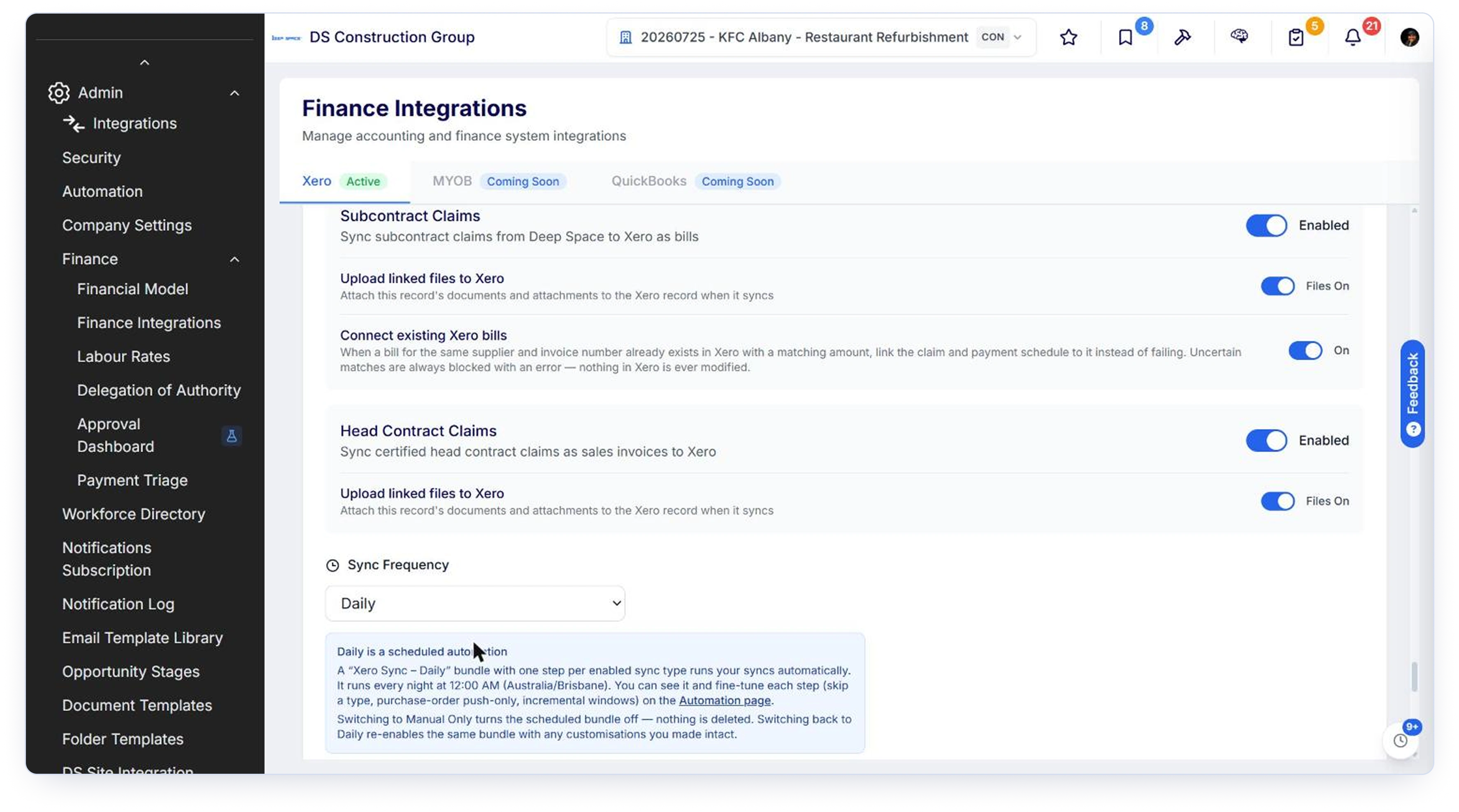
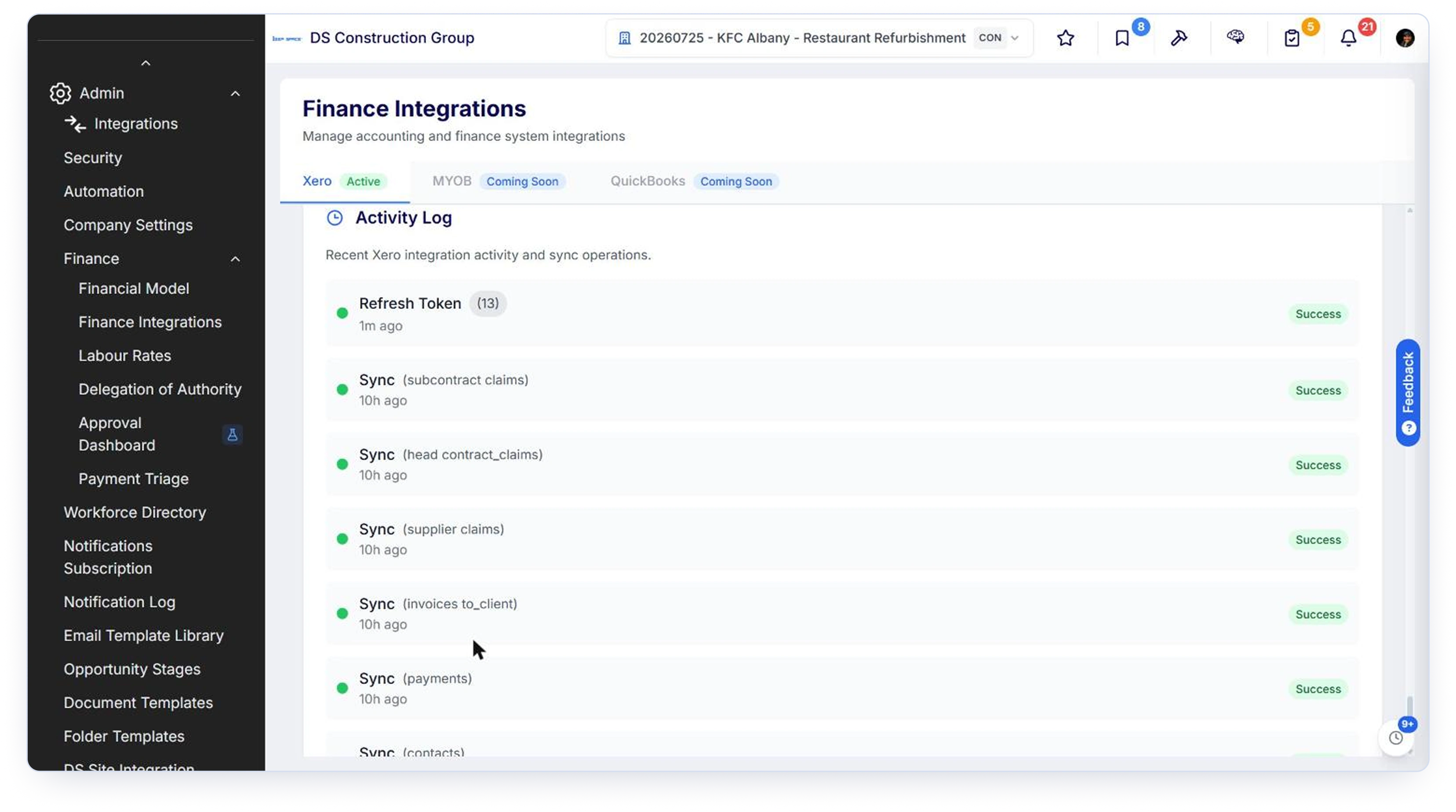
Set the sync to Daily and a Xero Sync bundle runs every night, one step per enabled sync type, visible on the Automation page where each step can be tuned or skipped. Or set it to Manual Only and nothing runs unattended.
Either way, every sync type has its own Sync Now for when you need it immediately, and switching to Manual Only turns the schedule off without deleting the setup.
One sequencing rule matters
Sync contacts before purchase orders. A purchase order cannot push until its supplier is linked to a Xero contact.
Where the AI sits
KAI does the work before Xero ever sees the transaction.
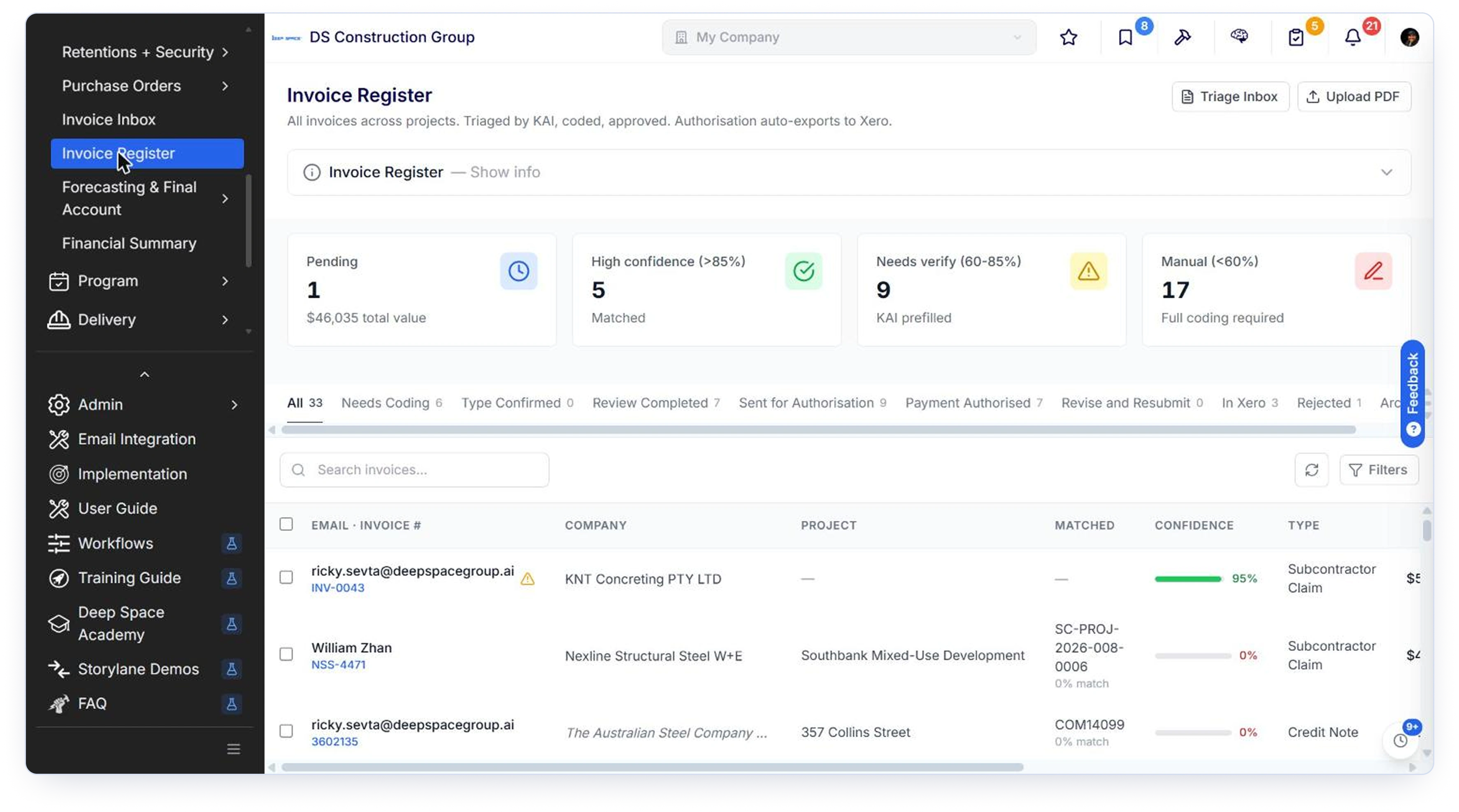
Supplier invoices arrive by email, KAI reads them, extracts the invoice number, dates, amounts, GST and supplier, and matches them against the purchase order or subcontract agreement. High-confidence matches arrive pre-coded. Low-confidence ones areflagged for a human.
By the time a bill reaches Xero it has already been read, matched, coded, authorisedunder your delegation of authority, and had its paperwork attached. Xero receives afinished transaction, not a starting point.
What this integration does not do
Named limits build more trust than vague breadth, and they cut the supporttickets that come from assuming.
 Documents do not flow back from Xero.
 One way only, Deep Space to Xero.
- A pushed draft is not updated later.
- Drafts are a point-in-time snapshot. Revise the record in Deep Space after pushing and Deep Spacedoes not rewrite the Xero draft.
- Only Paid comes back onto claims.
- Voiding or deleting in Xero does not change the Deep Space claim's status.
- Same-filename document versions are not replaced in Xero.
- Save revisions under a new name.
- Bank transactions and manual journals do not pull.
- Direct debits and payroll allocations posted straight into Xero do not appear as Budget Register actuals.
- Credit notes are not yet synced.
- In development.
- Retention release is not automated.
- Deep Space records the release date. The release entry is not generated in Xero.
- No month-end WIP or accrual journals, and no forecast export to Xero budgets.
- Not currently supported
- Per-project account overrides do not exist.
- Account mapping is workspace-level. Projects are separated by tracking category.
- Deep Space does not create tracking categories in Xero.
- Create them in Xero, then map them.
- Tax rate changes made in Xero do not flow back.
- Correct the tax treatment in Deep Space, not in Xero, or a later push may overwrite it.
- One Xero organisation per workspace.
- Multiple Xero organisations against one Deep Space workspace is not supported, and switching organisation on a live workspace needs a planned migration.
Setup, honestly scoped

A Xero organisation, an admin with permission to manage its app connections, your chart of accounts in a state you are happy to post against, retention accounts existing as non- system current asset and current liability accounts, and your project tracking category created in Xero.
Your finance lead for the account mapping, and whoever owns cost codes in Deep Space. Half a day for the mapping conversation is realistic on a first setup, less if you map by cost type.
Deep Space Implementation runs the mapping session with you, configures it in the workspace, and validates the first push end to end against your Xero organisation before you rely on it.
If you have existing Xero bills and payments that need to appear as Deep Space claims, that is a supported migration. Talk to us before go-live rather than after.
Questions we get asked
See it running against your own chart of accounts
Book a demo and we will walk your commercial and finance leads through the mapping, then show a real claim posting to a Xero organisation with the invoice attached.
.png)


.png)